Guides
Helpdesk Integrations for Customer Support QA
Author
Published
Intryc
September 9, 2026
Intryc connects to the helpdesk you already run - Zendesk, Salesforce Service Cloud, Intercom, Freshdesk, HubSpot, Gorgias, and Kustomer, among others - and pulls conversations into a QA workflow without changing where agents work. Most QA programs still see less than 5% of conversations flowing through that helpdesk; once connected, Intryc evaluates every conversation - human and AI - against your own scorecard at 90% accuracy - guaranteed, then routes it to reporting, calibration, and coaching. The integration is read-only: it adds a QA layer and the visibility that comes with it, it does not touch your helpdesk configuration.
Updated September 2026.
Which helpdesk platforms connect to Intryc for customer support QA?
Intryc has documented, first-party connections to the following helpdesk and support platforms for customer support QA: Zendesk, Salesforce Service Cloud, Intercom, Freshdesk, HubSpot, Gorgias, and Kustomer.
These sit inside a broader set of helpdesk, calling, and AI-agent-first platforms Intryc has built connections for, including Aircall, Jira Service Management, Twilio, NiCE CXone, and AI-native support tools like Ada and Decagon. For any platform not natively supported, Intryc offers a bulk delivery (S3) path - a documented, create-only ticket-JSON delivery contract with a CLI - so a conversation source outside the native list can still feed the QA workflow.
Connection details vary by platform - which conversation channels sync, what prerequisites apply, and what admin access is required. Rather than publish a single generic setup flow that doesn't hold up across seven different platforms, confirm the exact setup steps and channel coverage for your specific helpdesk with Intryc directly:
| Platform | Category | Conversation channels | Confirm before rollout |
|---|---|---|---|
| Zendesk | Helpdesk / ticketing | Tickets, chat | Draft KB ingestion behavior differs from other platforms - confirm scope |
| Salesforce Service Cloud | CRM / helpdesk | Cases, calls | Use a dedicated integration user, not a named employee login |
| Intercom | Conversational support | Chat, Fin AI Agent conversations | Fin (AI) and Workflow (non-AI) messages are distinguished automatically |
| Freshdesk | Helpdesk / ticketing | Tickets, chat | Configurable API rate limit (100-700 req/min) to avoid competing with other integrations |
| HubSpot | CRM / helpdesk | Tickets, chat | Confirm ticket pipeline scope with your admin |
| Gorgias | Ecommerce helpdesk | Tickets, chat | Confirm channel scope with your admin |
| Kustomer | Helpdesk / ticketing | Tickets, chat | Confirm channel scope with your admin |
Every ticketing integration is read-only - Intryc ingests conversation data to evaluate it; it does not write back to or modify your helpdesk configuration, macros, or workflows.
What happens after helpdesk conversations enter the QA workflow?
Connecting the helpdesk is the input step, not the output. Once conversations flow in, here is the sequence:
Helpdesk conversations -> scored against your custom scorecard -> reporting and calibration -> coaching and training simulations.
- Scorecard evaluation. Every conversation - human and AI - is evaluated against your own criteria, your own weights, your own pass thresholds. Intryc does not impose a fixed rubric; your scorecard, your rules.
- Reporting. Scored evaluations roll up into agent, team, and criterion-level reporting, so a support leader can see where quality is trending, not just what happened on one ticket.
- Calibration. Where evaluators disagree with each other or with the AI, calibration sessions surface the gap and get evaluators scoring the same tickets against the same standard.
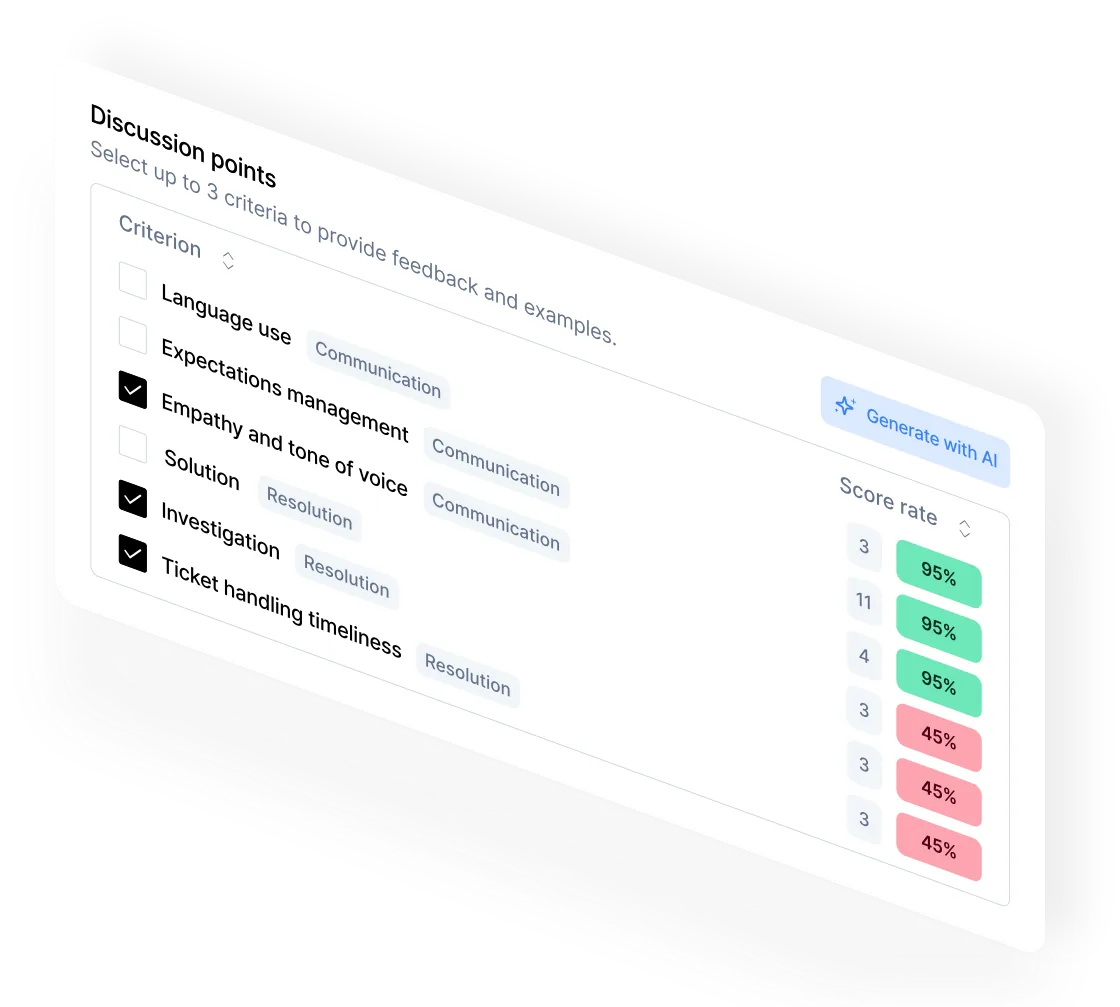
- Coaching and training. Flagged conversations feed AutoCoaching sessions and training simulations built from real cases - so the QA workflow does not stop at scoring, it closes the loop back into agent performance.
This sequence is the same regardless of which helpdesk feeds it - the platform changes how conversations arrive, not what happens to them once they do.
How should teams validate scorecard alignment before expanding automated QA?
Before rolling AI QA out past a pilot, run the same validation any QA program should run before trusting a new evaluator - human or AI:
Pilot scorecard worksheet:
- Configure your scorecard in Intryc - the same criteria, weights, and pass thresholds your team already uses, not a starter template.
- Run a representative set of conversations through both AI evaluation and your existing human evaluators, on the same tickets.
- Compare AI and human scores side by side, criterion by criterion, not just on the final pass/fail outcome.
- Review disagreements - for each mismatch, determine whether the criterion instruction was ambiguous (fix the instruction) or your evaluators disagree with each other (that's a calibration problem, not an AI problem, and needs a calibration session instead of an instruction change).
- Refine and re-test until AI and human scoring hold up on a new batch of conversations you haven't already used to tune the criteria.
- Set your acceptance criteria for moving a criterion, a queue, or a channel from pilot to full automated QA.
Intryc's guarantee on this: 90% accuracy - guaranteed on your real scorecards and your real ticket data in month one, with a specific, auditable accuracy formula (agreement rate between AI and human evaluators on score/skip decisions) - or your first month's fees are waived. That guarantee applies to your data, not a benchmark dataset, which is why the pilot step above matters: you are testing the number that's actually contractual.
What should teams validate before adding a QA layer alongside their helpdesk?
Adding Intryc alongside an existing helpdesk is an added platform, not an embedded feature of the helpdesk itself. Confirm these with Intryc for your specific environment before rollout - do not assume any of them without checking:
Pre-rollout integration and workflow checklist:
- Identity and access. How are QA admins, evaluators, and reviewees provisioned in Intryc relative to your helpdesk roles? Today, SSO is supported via Okta (SAML/OIDC) - confirm whether that covers your identity provider.
- Where work happens. Evaluators, coaches, and reviewees work inside Intryc for QA tasks - scoring, disputes, coaching, training - not inside an embedded view in your helpdesk. Confirm this fits how your team expects to work day to day.
- Data flow. Conversation data flows one way, from your helpdesk into Intryc, on a scheduled sync (not real-time on every platform) - confirm the sync cadence for your specific platform.
- Notifications and coaching delivery. Today, alerting runs through Slack (DMs and channel posts); there is no dedicated Microsoft Teams integration documented. Confirm this matches your team's notification stack.
- Ownership. Decide who owns scorecard changes, who owns calibration sessions, and who is accountable for reviewing disputes raised against AI-scored evaluations specifically - AI evaluations don't have an original evaluator to notify by default, so someone needs to own checking them.
- Calibration cadence. Set how often evaluators calibrate against each other and against the AI, not just at rollout.
- Rollout scope. Decide whether you're starting with one queue, one channel, or one criterion set - and what "expand" looks like after the pilot validates.
- Success criteria. Define what "this integration is working" means before you go live - accuracy against your data, coverage achieved, time saved, or all three.
Intryc does not claim a single unified interface with your helpdesk, synchronized permissions, or zero added workflow for your team. It claims a read-only connection that feeds a QA workflow your team runs inside Intryc - which is a real added step, weighed against not seeing 100% ticket coverage at all. The tradeoff is a QA program that runs at scale, in real-time, at half the cost of the manual review it replaces.
What technical and data governance requirements apply to helpdesk integrations?
- Read-only connections. Every ticketing integration is documented as read-only - Intryc does not modify helpdesk data, macros, or configuration.
- Attachment mirroring is opt-in per connection (available on Freshdesk, Intercom, Plain, and Zendesk) - recommended, because without it attachment URLs can expire and become unviewable later.
- Sync cadence is scheduled, not manual - typically every 4-6 hours depending on the source, with no "sync now" option.
- SSO is supported via Okta (SAML/OIDC) today. Confirm coverage for other identity providers directly with Intryc.
- Alerting runs through Slack today - DMs matched by email, channel posts via group-linked channels.
- Compliance: SOC 2, GDPR, and HIPAA, with AWS region choice for data residency.
What if my helpdesk isn't on the natively supported connector list?
If your helpdesk isn't on the natively supported list, Intryc's bulk delivery (S3) path is the documented fallback: a create-only ticket-JSON delivery contract with a CLI, one connection per workspace. This is not a native one-click connection - it requires your team to format and deliver ticket data to the contract Intryc documents. Confirm with Intryc whether your specific helpdesk has a native connector in progress before defaulting to this path.
What has connecting a helpdesk to Intryc's QA workflow changed for real support teams?
Deel doubled its QA evaluation capacity without adding headcount after connecting its support stack to Intryc (audit output +40%, insights +130%, 1,000+ users in production). SadaPay went from under 1% coverage to full coverage with 95-99% AI-powered audits and 10x audit volume. Blueground connected a support stack handling roughly 19,000 monthly tickets across 70 agents, moved coverage from 2-3% to 5.5%, and saved 40+ hours a week previously spent on manual audits. These are outcomes of the QA workflow the integration feeds - not a claim about the connection step itself.
FAQ
Does Intryc integrate with Zendesk, Salesforce, Intercom, Freshdesk, HubSpot, Gorgias, and Kustomer?
Yes. These are documented, first-party helpdesk connections for customer support QA. Exact setup steps, supported conversation channels, and prerequisites vary by platform - confirm the specifics for your environment with Intryc before rollout.
What happens to a conversation after it's connected from my helpdesk?
It's evaluated against your own scorecard - human and AI conversations alike - at 90% accuracy - guaranteed, then rolled into reporting, calibration, and coaching. The helpdesk determines how the conversation arrives; the QA workflow after that is the same regardless of source platform.
Is the helpdesk integration read-only, or can Intryc change my helpdesk setup?
Read-only. Every ticketing integration is documented as read-only - Intryc ingests conversation data to evaluate it and does not write back to or modify your helpdesk configuration.
Will Intryc embed inside my helpdesk, or is it a separate platform?
A separate platform. Intryc does not claim a single unified interface, synchronized permissions, or an embedded view inside your helpdesk. Evaluators, coaches, and reviewees work inside Intryc for QA tasks. Confirm this fits your team's workflow before rollout.
How do I validate that AI scoring will match my team's standards before rolling it out further?
Run a pilot: configure your real scorecard, score a representative batch of conversations with both AI and human evaluators, compare results criterion by criterion, and separate ambiguous-instruction problems (fix the criterion) from evaluator-disagreement problems (run calibration). Intryc's 90% accuracy - guaranteed applies to your real scorecards and real ticket data, which is what the pilot is testing.
What if my helpdesk isn't on the natively supported list?
Use the bulk delivery (S3) path - a documented, create-only ticket-JSON delivery contract with a CLI. Confirm with Intryc whether a native connector for your platform is already in progress.
Which of your existing helpdesk conversations - human or AI - are going unevaluated right now because your current QA tool doesn't connect to it?