Set up scorecards and criteria
Build a scorecard from a checklist or a conversation, then refine criteria, weights and critical items.
“Turn this QA checklist into a scorecard and mark refund accuracy as critical.”
Intryc MCP
Connect Intryc to Claude, Claude Code, Codex or Cursor. Build scorecards, check AutoQA, share reports and prepare coaching for your CX team.
Refund QA scorecard
refund-qa-checklist.pdf
PDF · 2 pages
Turn our refund QA checklist into an Intryc scorecard. Refund policy and refund amounts are critical.
Using the Intryc skill
Scorecard onboardingI drafted Refunds · Tier 1 from your checklist: five criteria, two of them critical, four scored by AutoQA. I’ll create it in Intryc as soon as you allow it.
Reply to Claude…
Refunds · Tier 1
Scorecard · created from Claude just now
Criterion
Scoring
Weight
Refund policy followed
Critical25%
Refund amount confirmed
Critical25%
Customer identity verified
15%
Next steps explained
20%
Empathy and tone
15%
Add Intryc’s MCP server to Claude, Claude Code, Codex or Cursor. Everyone signs in with their own Intryc account, so each user only has access to what their role allows.
Web, Desktop, Cowork and mobile
Add a custom connector. In Claude, add Intryc as a custom connector. On Team and Enterprise plans, an owner may need to turn on custom connectors first.
Paste your MCP URL. Use the URL below and leave request headers empty.
Sign in with Intryc. Approve the connection with your Intryc account (SSO supported).
https://your-company.intryc.com/mcpCopy any prompt below into your agent, or ask in your own words. Your agent picks the right Intryc tools and skills and checks with you before it changes anything.
Build a scorecard from a checklist or a conversation, then refine criteria, weights and critical items.
See which AutoQA tools are on, switch them on or off and read the articles AutoQA relies on.
Ask how quality is trending, and combine QA scores with CSAT, tickets and the rest of your support data.
Ask why a score fell and get the evaluations, agents and criteria behind it.
Compare how evaluators score the same conversations and see where they disagree.
Spot criteria that keep failing because an article is missing or out of date.
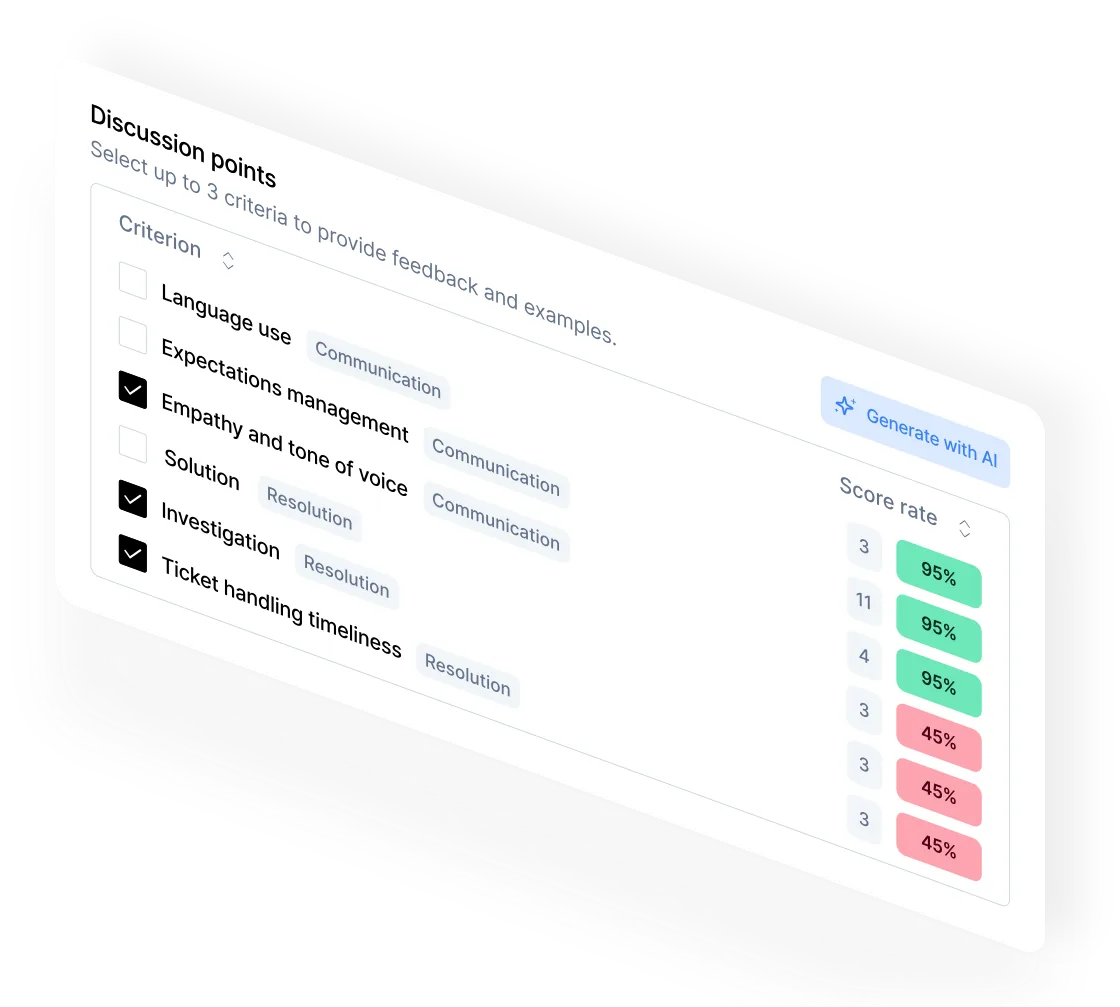
Draft a coaching session for an agent from their recent evaluations, with examples to discuss.
Turn each agent’s gaps into training and simulations built for them.
Skills bundle Intryc’s QA know-how, so your agent can deliver results in minutes. Each skill walks it through a proven workflow, from setting up a scorecard to preparing a coaching session.
Turns a QA checklist or a conversation into a scorecard built to Intryc’s standards.
Reviews criteria and gets them ready for AutoQA. Shows every edit first.
Finds where AutoQA and evaluators disagree and proposes the smallest fix.
Builds a session for an agent from their recent evaluations, with examples.
Explains a score drop: which criteria, which queues, which conversations.
Turns an agent’s gaps into a simulation they can practice on.
“I’ve processed your refund, it should show up soon.” Ticket #84102: missed the amount and date.
Turns a QA checklist or a conversation into a scorecard built to Intryc’s standards.
Reviews criteria and gets them ready for AutoQA. Shows every edit first.
Finds where AutoQA and evaluators disagree and proposes the smallest fix.
Builds a session for an agent from their recent evaluations, with examples.
Explains a score drop: which criteria, which queues, which conversations.
Turns an agent’s gaps into a simulation they can practice on.
“I’ve processed your refund, it should show up soon.” Ticket #84102: missed the amount and date.
Connect once and run QA setup, insights and coaching from the chat your team already uses.