Product
QA Reporting for Customer Support: From Evaluations to Coaching Decisions
Author
Published
Intryc
October 29, 2026
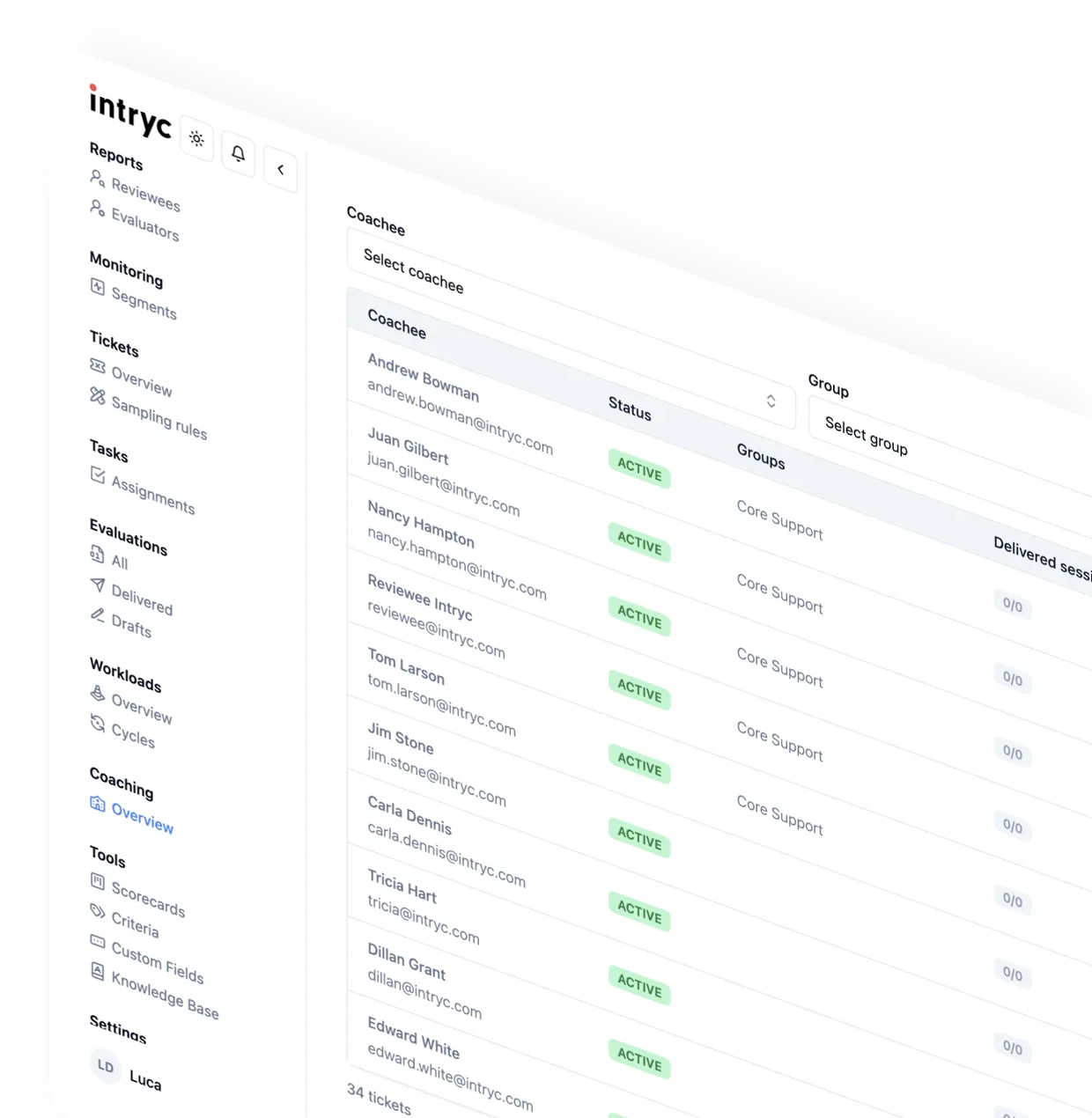
QA reporting for customer support turns evaluation scores into trend, pattern, and coaching data, tracked by agent, team, criterion, and ticket type. Intryc builds that reporting from every evaluated conversation - human and AI - against your own scorecard, then connects a quality drop to its root cause, a coaching session, and a re-measured score on the same rubric.
What customer support QA reporting shows
A QA evaluation scores one conversation. QA reporting is the layer above it: whether an agent, a team, or a criterion is trending up or down, which patterns keep recurring, and whether the last round of coaching actually moved the number it targeted.
Most QA tools stop at the evaluation. A score lands in a dashboard, a manager glances at an aggregate once a week, and the connection from "this metric moved" to "here is what we did about it" never gets built into the product - it happens by hand, in a spreadsheet, or not at all.
Intryc evaluates every conversation - human and AI - against the scorecard you define, so the reporting layer is built on the full ticket population rather than a sample. Most QA programs still review less than 5% of conversations; at that coverage, a weekly trend line is closer to noise than signal.
Reporting dimensions: agent, team, criterion, and ticket type
Intryc's Insights & Reporting surfaces quality score, critical quality failures, dispute rates, coaching activity, training completion, evaluation review rates, and team and individual trends, each with a delta against the prior period. A QA manager can break any of these down by scorecard criterion, by agent, by team, or by ticket type, so a declining number can be traced to where it is concentrated rather than reported as one blended average - your scorecard, your rules, and the reporting follows whatever structure you built.
Buyers evaluating reporting software sometimes hear that a platform's native views cannot be sliced by every business attribute, which would push teams back to exporting data for executive reporting. That is not the case here: Intryc connects natively to Looker, Metabase, Power BI, Amazon S3, Google Cloud Storage, MCP, and public APIs, alongside the built-in dashboards - so a team that already reports up through its own BI stack plugs QA data into it directly, and a team that doesn't can run exec-level cuts from the native Insights & Reporting view without building a separate pipeline.
Source: intryc.com/platform, fetched October 2026.
From a quality signal to a root-cause investigation
A score tells a QA team that something went wrong. It does not say what, why, or how often. Root-cause analysis is the layer that closes that gap: each criterion can carry up to five defined root causes, selected by the evaluator or the AI, so a declining score is attached to a specific, checkable reason rather than left as an unexplained dip.
That reason then becomes the unit teams investigate - a criterion failing across one ticket type regardless of agent reads as a process or knowledge-base gap; the same criterion failing for one agent across many ticket types reads as a coaching need. Reporting identifies where to look. Root-cause analysis is what turns the lookup into a specific, actionable finding - it does not, on its own, establish that one intervention caused a later score change; that still takes a re-measurement against the same criterion.
Connect QA findings to coaching and re-measurement
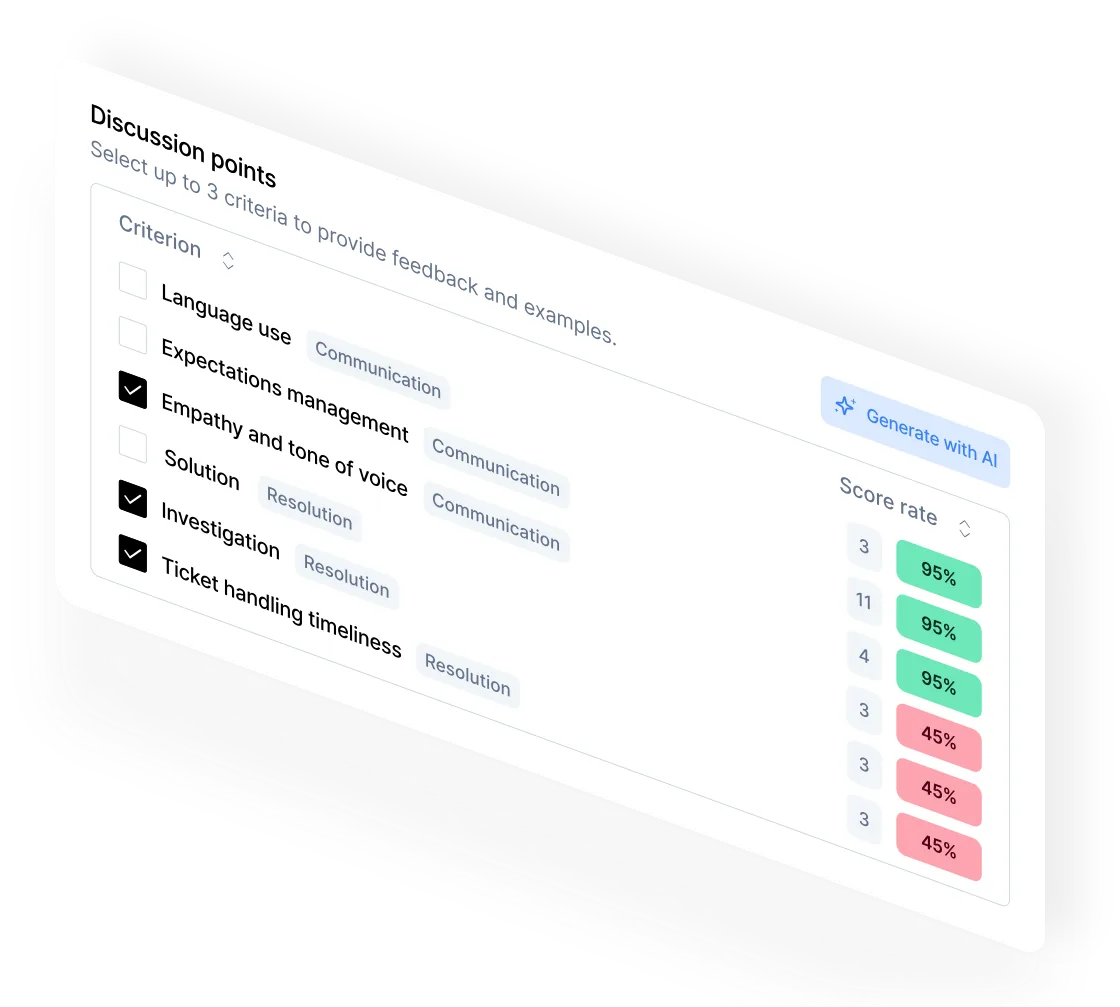
A finding that never reaches a coaching session is just a chart. Intryc's AutoCoaching builds a session from an agent's actual sub-max scores on the criteria a coach selects, links every point back to the source ticket, and caps the session at six action items so it is something an agent can realistically complete - not a fifteen-item list nobody works through.
Failed evaluations also convert into targeted simulations and quizzes on the same criteria, scored by the same engine that scores live tickets, so training performance and live performance sit on one comparable scale. Coaching sessions are counted and trended with period deltas alongside quality score and dispute rate, and the agent's score on the coached criteria is tracked afterward - the read a QA lead needs to answer "did that coaching session work," not a guess from a spreadsheet two weeks later.
That loop runs on scoring Intryc stands behind: 90% accuracy - guaranteed on your own scorecards and ticket data in month one, or the first month's fees are waived.
At Djamo, the QA team runs this loop with the same headcount: "We're now doing 3x more evaluations with the same staff. That's been the biggest unexpected benefit," says Marc Meroue, Head of Customer Experience. At Deel, QA evaluation capacity doubled without adding headcount, with audit output up 40% and insight output up 130%, across 1,000+ users in production.
These are documented workflows and the outcomes those customers reported, not a promise that any specific coaching plan produces a specific score movement on your team - a scorecard improvement rate before versus after coaching, and whether the same mistake repeats, are the metrics that answer that question directly; CSAT, NPS, and first-contact-resolution trends are directional context, not proof of causation.
Honest boundary: what this reporting is, and isn't
Intryc's reporting is QA-derived: every number traces back to a conversation scored against your scorecard, not a general-purpose business-intelligence layer sitting on top of raw ticket data. That is a deliberate scope, not a gap - a team that needs the QA signal correlated against revenue, churn, or support-cost data already in its own warehouse gets there through the Looker, Metabase, Power BI, and public API connections described above, rather than Intryc trying to become a second BI tool.
Intryc reads conversations from Zendesk and other helpdesks and pushes QA data out to Looker, Metabase, Power BI, S3, GCS, MCP and public APIs, plus Slack alerts - so managers see QA alongside their Zendesk reporting without changing their helpdesk setup.
On AI-vs-human calibration: Intryc runs blind calibration sessions with a lead-reviewer benchmark - every participant scores independently, results stay hidden until everyone has submitted so nobody anchors on someone else's score, then a side-by-side, per-criterion comparison shows every participant's ratings and root causes. The accuracy reporting goes a step further and separates two causes of disagreement - an ambiguous instruction versus evaluators disagreeing with each other - and recommends a different fix for each, which most platforms report as one undifferentiated accuracy number. That is a structured answer to inter-rater reliability, not an informal one.
AI Agents for QA reporting: where that stands today
Intryc is rolling out autonomous AI Agents - a Weekly QA Digest, a Low-Score Watcher that drafts coaching the moment a flagged evaluation lands, a Dispute Pre-screener, and a Coaching Follow-Up agent that checks whether assigned coaching was completed and whether performance improved afterward - to a limited number of early-access spots. This is a reporting and operating-rhythm capability still rolling out; confirm current availability directly before planning a rollout around it.
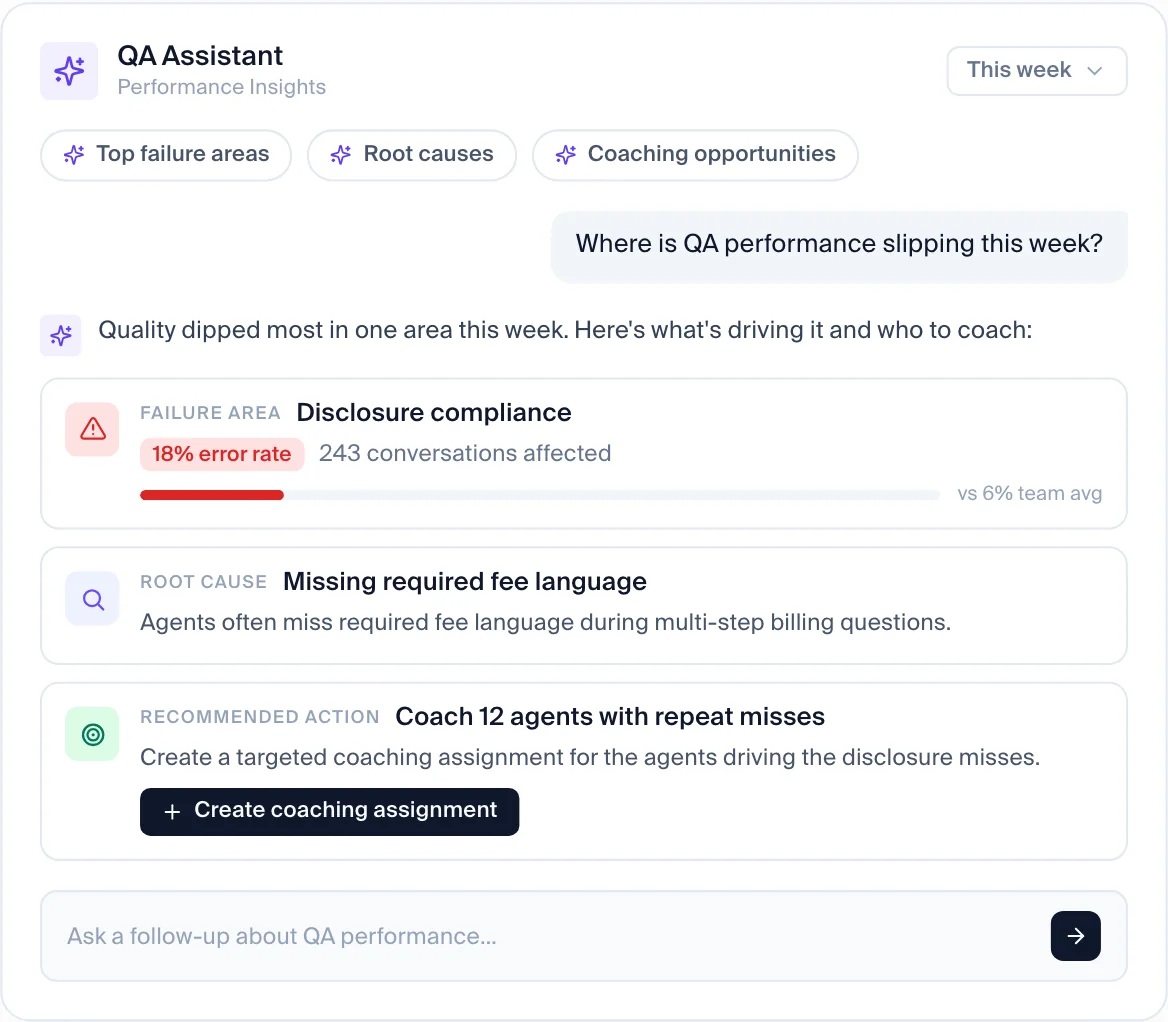
The conversational QA Assistant is a separate, already-available surface: it answers plain-language questions over a workspace's own evaluations, scorecards, coaching, disputes, and training data, shows which data lookup it is running as it works, and can draft a coaching assignment or Slack message that a human reviews and sends - it does not send anything unreviewed. Teams evaluating QA reporting tools should treat the always-on AI Agents and the on-demand QA Assistant as two different maturity stages of the same system, and confirm current beta availability directly before planning a rollout around it.
What to validate before choosing QA reporting software
- Reporting dimensions. Can you break a trend out by agent, team, criterion, and ticket type - or only view a blended aggregate?
- Coverage basis. Is the reporting built on 100% of conversations, a configurable sample, or a fixed sample size - and does that match what your program needs?
- Root-cause depth. Does a declining score come with a specific, checkable reason, or just a lower number?
- Coaching tracked to re-measurement. Is there a documented path from a flagged pattern into a coaching session, with the agent's score on that criterion tracked afterward - or does that connective work land on a manager's spreadsheet?
- AI-agent and voice coverage. If your stack includes a chatbot or phone channel, is it sampled and reported on as its own agent, on the same scorecard?
- BI and export fit. Does the platform connect to the BI stack and export paths your team already reports through, or does every exec cut require a manual pull?
How Intryc's QA reporting compares
The table below covers reporting-specific dimensions only, not the full feature set of each platform. Fields marked "confirm in demo" are not documented on the vendor's current public pages as of October 2026 - ask to see them on your own data before standardizing.
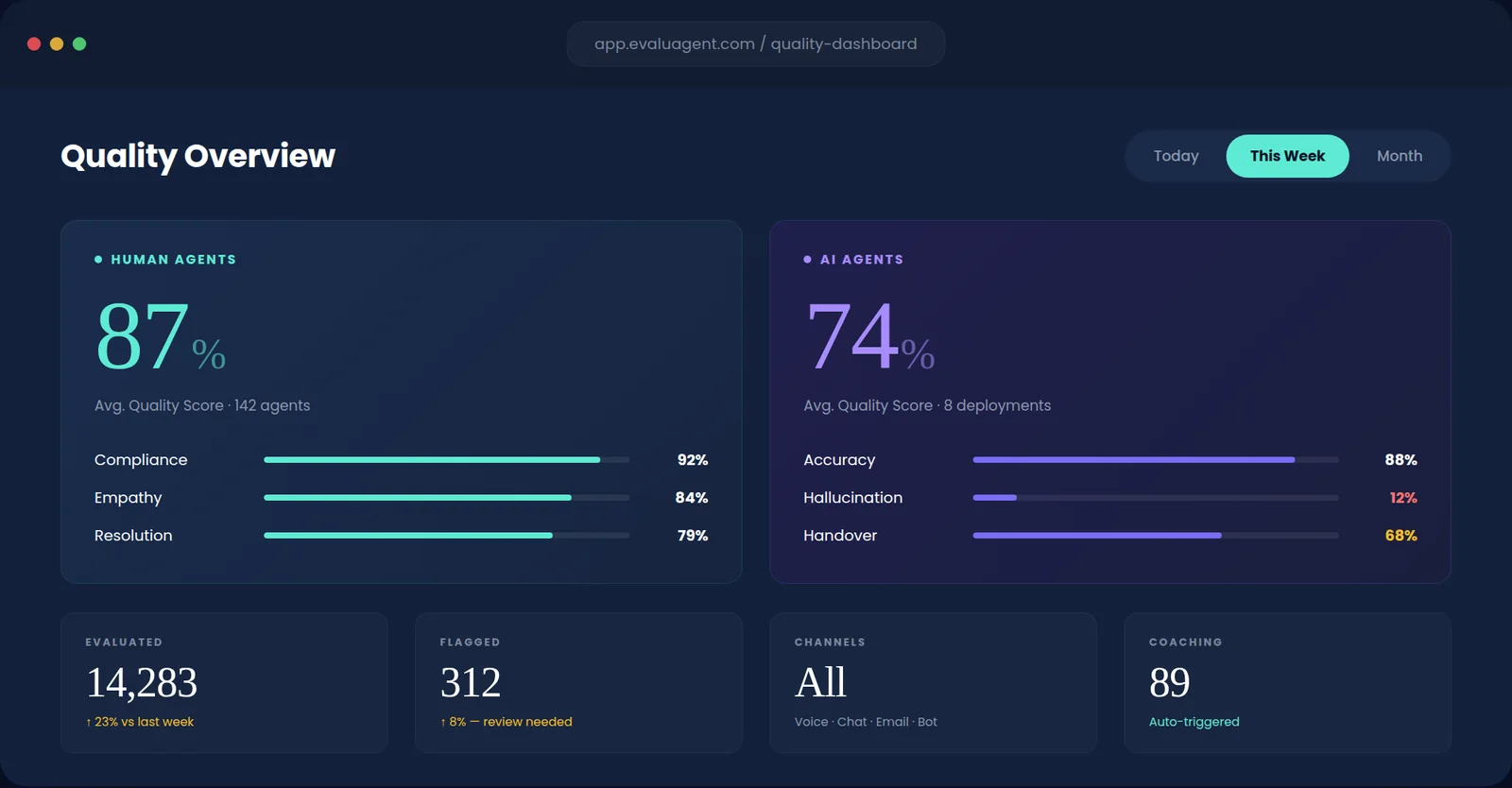
EvaluAgent reports human and AI-agent quality side by side in one Quality Overview, with evaluated, flagged, channel, and auto-triggered coaching counts in the same view - the dashboard above shows that layout directly. Pricing starts at $35 per user per month for AutoQM; Conversation Intelligence, which adds automated reason-for-contact tagging, starts at $65 per user per month - so a reporting view that includes root-cause-style tagging sits behind the higher tier, not the base plan. EvaluAgent scores AI agents built on Cognigy, Sierra, and Decagon, but its public pages do not document whether that bot-conversation reporting breaks out by criterion the way its human-agent dashboard does - confirm that drill-down in a demo before assuming parity between the two reporting views.
| Reporting dimension | Intryc | MaestroQA (now Rippit) | Zendesk QA | Observe.AI | EvaluAgent | Level AI | ScorebuddyCX |
|---|---|---|---|---|---|---|---|
| Coverage basis | 100% of conversations, or intelligent attribute-based sampling by risk, sentiment, agent, or ticket type - customer-selectable, same scorecard either way | A configurable QA agent scores 100% of conversations and returns the evidence; Rippit prices this on Agent Runs (Starter $185/mo, Growth $495/mo, Enterprise custom) - confirm cost at your volume | AutoQA scores conversations configured into a workload; confirm the coverage percentage at your ticket volume in a demo | Auto QA scores 100% of the call and chat interactions it is configured to cover | AutoQM is priced per user per month from $35; confirm what share of conversations that license covers at your volume | Level AI's auto-QA scores 100% of calls, chats, emails, and bot conversations it is configured to cover; pricing is custom and enterprise-focused, so confirm cost at your volume | ScorebuddyCX auto-scores 100% of conversations across voice, chat, and email at a vendor-claimed 90%+ accuracy on Accelerate and Elite plans, within a monthly AI-score allowance; pricing is quote-only with a 14-day trial, so confirm cost at your volume |
| Reporting dimensions (agent/team/criterion/ticket type) | Quality score, dispute rate, coaching activity, training completion, and team/individual trends, each with a period-over-period delta | Confirm in demo - Rippit's public pages describe chatbot-monitoring and product-feedback reporting; we did not find a dedicated agent/team/criterion QA reporting view documented | Score aggregates and team-level trend views are documented; confirm agent-level and criterion-level drill-down in a demo | Confirm in demo - reporting depth for human-agent score trends by criterion is not detailed on its public pages | EvaluAgent's dashboard shows human and AI-agent scores side by side and auto-triggered coaching counts; confirm criterion-level drill-down in a demo | Level AI's QA view is built around real-time agent assist and auto-QA scoring; confirm whether agent/team/criterion breakdowns exist as a standing reporting view versus a per-call result | Root-cause analysis is documented on ScorebuddyCX's Foundation plan, with conversation analytics reserved for the Elite plan - so the reporting depth you get depends on which tier you buy, not just which product you pick |
| Root-cause linkage | Root causes selected per criterion (up to five, from the criterion's own list) and surfaced as a dedicated reporting layer, distinct from the score | Chatbot monitoring surfaces friction findings with conversation evidence; confirm root-cause tagging for human-agent QA | Tiered root causes, added July 2026: reviewers pick from a category list on each rating - reviewer-selected, not automatic clustering | Confirm in demo | Confirm in demo | Confirm in demo - Level AI's public pages do not detail a root-cause reporting layer separate from the scorecard result | ScorebuddyCX documents root cause analysis as a Foundation-plan feature; confirm whether it is a standing reporting layer or a per-evaluation tag in a demo |
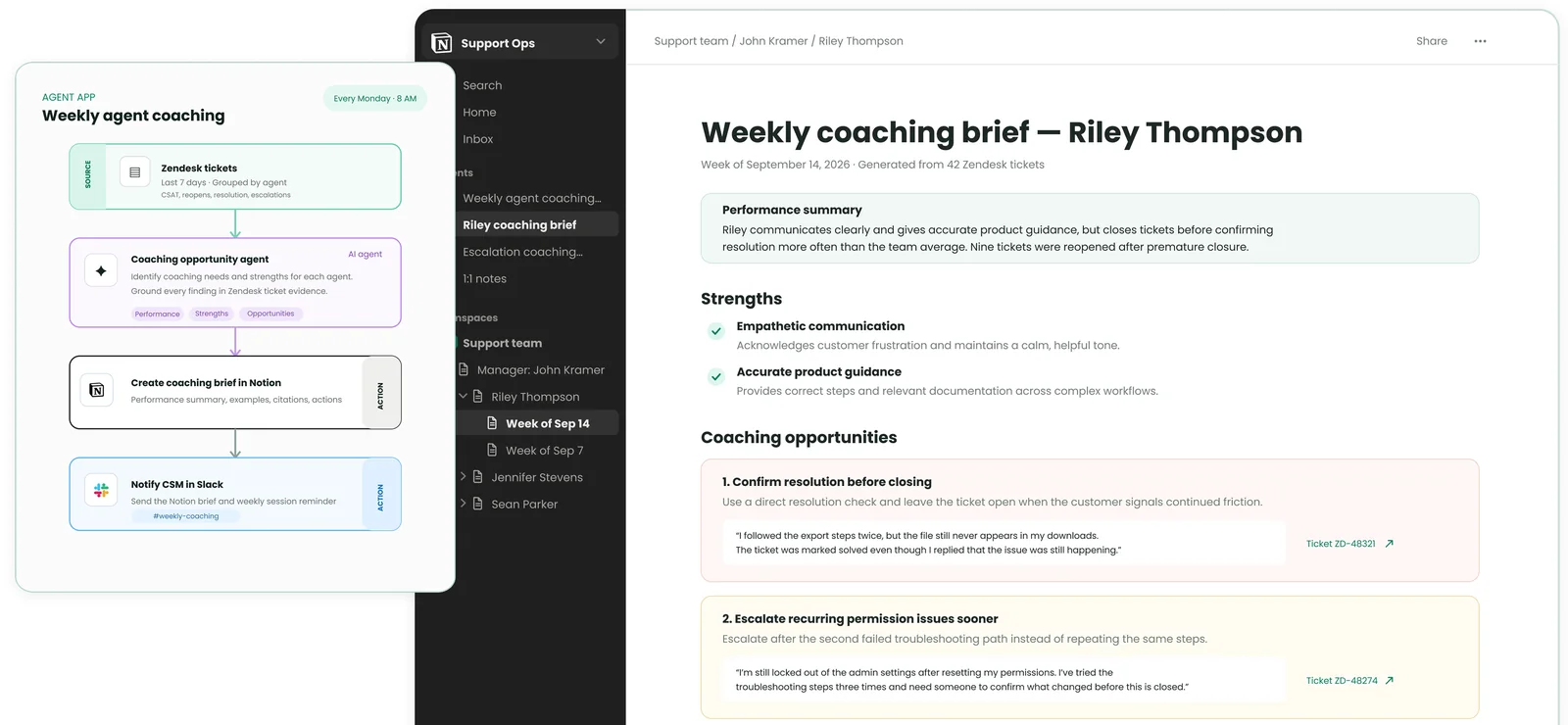
| Coaching tracked to re-measurement | AutoCoaching builds sessions from an agent's real flagged conversations, caps each session at six action items, and tracks the agent's score on the same criteria afterward | An agent app drafts a weekly coaching brief in Notion from an agent's Zendesk tickets; confirm whether sessions are tracked back against evaluation trends | Coaching sessions exist in the product; confirm whether completed sessions are tracked against subsequent scores on the same criteria | Performance Agent auto-generates coaching plans that supervisors edit; confirm post-coaching score tracking on the same criteria | Confirm in demo | Level AI generates AI coaching plans that managers review; confirm whether completed coaching is tracked against a later score on the same criterion | ScorebuddyCX includes native LMS-style training; confirm whether a completed training or coaching assignment is tracked back against the agent's next scores on the same criteria |
| AI agent / bot reporting | Bot conversations import under the bot's own identity (Ada, Decagon, Intercom Fin) and are sampled, scored, and trended on the same scorecard as humans, or their own | A chatbot-monitoring agent analyses chatbot conversations for friction and escalations as a separate workflow from human-agent QA | AutoQA includes AI agents, per Zendesk; confirm whether reporting is broken out separately from human-agent scores | Testing and simulation of AI agents is offered; confirm whether live bot conversations get the same reporting cuts as human agents | Scores AI agents including Cognigy, Sierra, and Decagon; confirm whether reporting is separated by agent identity | QA covers calls, chats, emails, and bot conversations; confirm whether bot-conversation reporting is broken out by bot identity or blended into the overall score | ScorebuddyCX markets QA for bots alongside human agents; confirm whether bot and human reporting are separated by agent identity in the same dashboard |
| BI and export integrations | Native connections to Looker, Metabase, Power BI, Amazon S3, Google Cloud Storage, MCP, and public APIs, alongside the built-in Insights & Reporting dashboards | Confirm in demo | Confirm in demo | Confirm in demo | Confirm in demo | Confirm in demo | Built-in BI custom dashboards (Accelerate) and Open API (Elite); confirm native connectors to your BI tool |
Rippit, Observe.AI, Level AI, and ScorebuddyCX: what their reporting actually covers
MaestroQA rebranded to Rippit in 2026 - same founders, rebuilt as an AI-first platform - and prices on Agent Runs rather than per seat: Free, Starter at $185/month, Growth at $495/month, and custom Enterprise. Rippit's own public materials lean on two specific workflows rather than a general agent/team/criterion reporting view: a chatbot-monitoring agent app that re-analyzes chatbot conversations weekly and flags "contained-but-unresolved" cases with evidence, and a weekly coaching-brief agent that reads an agent's Zendesk tickets and drafts a Notion brief with strengths and coaching points, then sends a Slack notification. Both are real, documented reporting outputs - but neither is the same thing as a dashboard that lets a QA manager slice quality score by agent, team, criterion, and ticket type with a period-over-period delta, and Rippit's current public pages do not show that broader view. Rippit monitors chatbot conversations as a separate workflow; confirm whether bots are scored on the same QA scorecard as human agents.
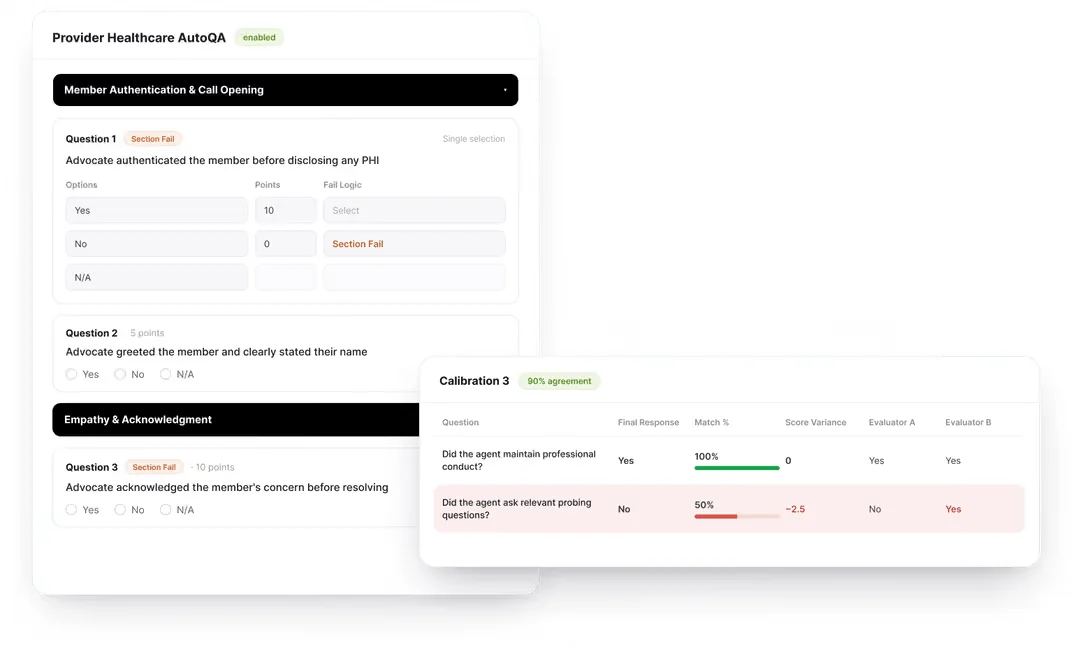
Observe.AI repositioned itself in 2026 as an "Agentic CX Platform" and now ships Companion Agent, a real-time assist product launched in May 2026, alongside its original Auto QA, which scores 100% of the call and chat interactions it is configured to cover. Its coaching layer, Performance Agent, auto-generates coaching plans that supervisors then edit before they go to an agent - closer to a drafting assistant than a fully automated loop. Observe.AI also supports testing and simulation of AI agents, which maps to the same AI-agent-QA need Intryc covers with Ada, Decagon, and Intercom Fin imports, but Observe.AI's public pages do not document whether a human agent's score-by-criterion trend is reportable on its own, separate from the aggregate Auto QA number - confirm that drill-down directly, and note that Observe.AI does not publish pricing; its pricing page currently returns a 404. On evaluator calibration, Observe.AI's own interaction-intelligence page shows a comparison view with match rate and score variance between evaluators - the screenshot below is that view.
Level AI auto-QA covers 100% of calls, chats, emails, and bot conversations configured into the workspace, each answer backed by the transcript line that supports it - the screenshot below shows that evidence pattern on a professionalism question. Level AI generates AI coaching plans that a manager reviews before assigning, similar to Observe.AI's Performance Agent. One gap Level AI names about itself: its own blog lists "pre-call role-play simulations" under "What it is not great at," which matters for a reporting buyer specifically because it means there is no training-score data from role-play to compare against live-call scores on the same criteria - a loop Intryc runs through AutoCoaching-triggered simulations. Level AI's pricing is custom and enterprise-focused; confirm cost at your evaluation volume before comparing total cost against a usage-based platform.

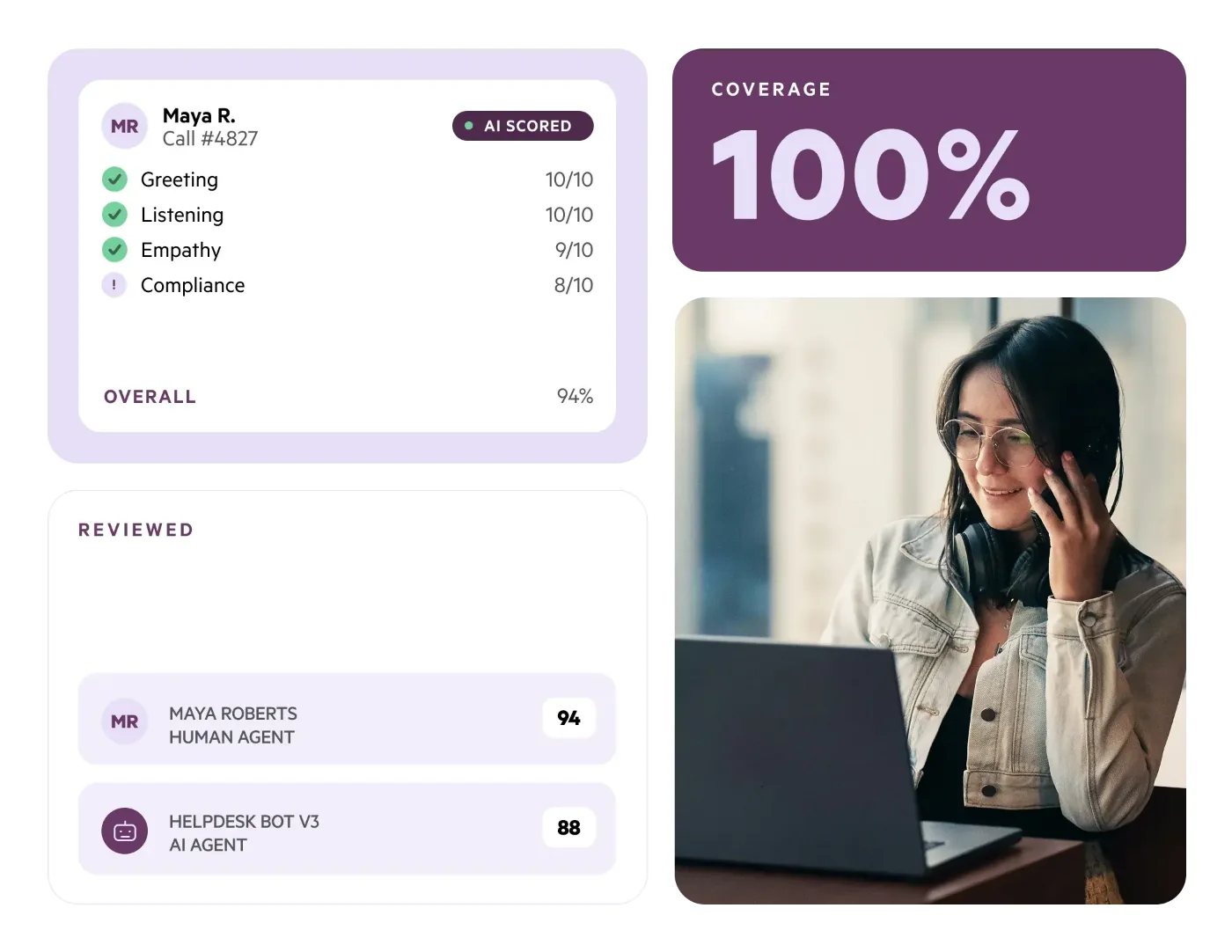
ScorebuddyCX, the renamed Scorebuddy, auto-scores 100% of conversations across voice, chat, and email at a vendor-claimed 90%+ accuracy on Accelerate and Elite plans, within a monthly AI-score allowance - the screenshot below shows that auto-scoring and coverage view, with human and bot agents reviewed side by side. Its reporting depth is tier-gated in a way worth flagging for a reporting-specific evaluation: root cause analysis is documented on the Foundation plan, but conversation analytics is reserved for the Elite plan, so two teams on different ScorebuddyCX tiers can have meaningfully different reporting capability even on the same core product. ScorebuddyCX also markets QA for bots and has a native LMS, but no real-time agent-assist capability was found on its public pages, and pricing is quote-only with a 14-day trial - confirm which tier a quote actually includes before comparing it against a platform where every feature ships at every volume.
FAQ
What is QA reporting for customer support?
QA reporting is the layer that turns individual evaluation scores into trend, pattern, and coaching data - whether an agent, team, or scorecard criterion is improving, where a quality issue is concentrated, and whether a coaching session moved the score it targeted. Intryc builds this reporting from every evaluated conversation - human and AI - against your own scorecard, with agent, team, criterion, and ticket-type breakdowns, each tracked with a period-over-period delta.
Does Intryc's QA reporting cover AI agents and chatbots separately from human agents?
Yes. Bot conversations from Ada, Decagon, and Intercom Fin import under the bot's own identity, so they can be sampled, scored, and trended as their own agent on the same scorecard as humans, or on their own.
Can Intryc's QA reporting data feed our own BI dashboards?
Yes. Alongside the native Insights & Reporting dashboards, Intryc connects to Looker, Metabase, Power BI, Amazon S3, Google Cloud Storage, MCP, and public APIs, so QA data can sit next to the rest of your operating data in whatever BI stack your team already reports through.
How does Intryc calibrate AI scoring against human QA?
Through blind calibration sessions: every participant scores independently, results stay hidden until everyone has submitted, and a lead reviewer's score becomes the benchmark in a side-by-side, per-criterion comparison. Accuracy reporting separates whether a low-accuracy criterion reflects an ambiguous instruction or evaluators disagreeing with each other, and recommends a different fix for each.
Are Intryc's AI Agents for automated QA reporting available now?
Partially. The conversational QA Assistant - plain-language questions over your own QA data - is available today. The autonomous AI Agents that run reporting and coaching workflows on a schedule or trigger, including a Weekly QA Digest and a Coaching Follow-Up agent, are in a limited closed beta that Intryc opened in August 2026; confirm current availability before planning a rollout around them.
How does reporting differ between Rippit, Observe.AI, Level AI, and ScorebuddyCX?
Rippit (formerly MaestroQA) leans on two specific agent apps - chatbot-friction monitoring and a weekly Notion coaching brief - rather than a documented agent/team/criterion dashboard. Observe.AI and Level AI both auto-generate coaching plans for a manager to review and both score AI-agent or bot conversations, but neither publishes whether a human agent's criterion-level trend is reportable on its own, separate from the blended score. ScorebuddyCX gates reporting depth by plan: root cause analysis sits on its Foundation tier, conversation analytics only on Elite. Ask each vendor which BI tools it connects to natively; Intryc connects to Looker, Metabase, Power BI, S3, GCS, MCP, and public APIs.
Related resources
- Performance Reporting for Support QA and Coaching - the vendor-comparison deep dive, including how Intryc stacks up against Lorikeet, MaestroQA/Rippit, Zendesk, thelevel.ai, OversAI, and Scorebuddy on reporting specifically.
- Support Analytics for Customer Support QA Teams - how DSAT drivers and scorecard-criteria trends are surfaced from evaluation data.
- How Calibration Sessions Work in Intryc - the blind-scoring and lead-reviewer mechanism referenced above.
- Root Cause Analysis Software for Customer Support Quality - the diagnostic layer behind a reporting trend.
A score tells you something went wrong. Reporting tells you where. Root cause tells you why.
See the demo - https://www.intryc.com/request-demo