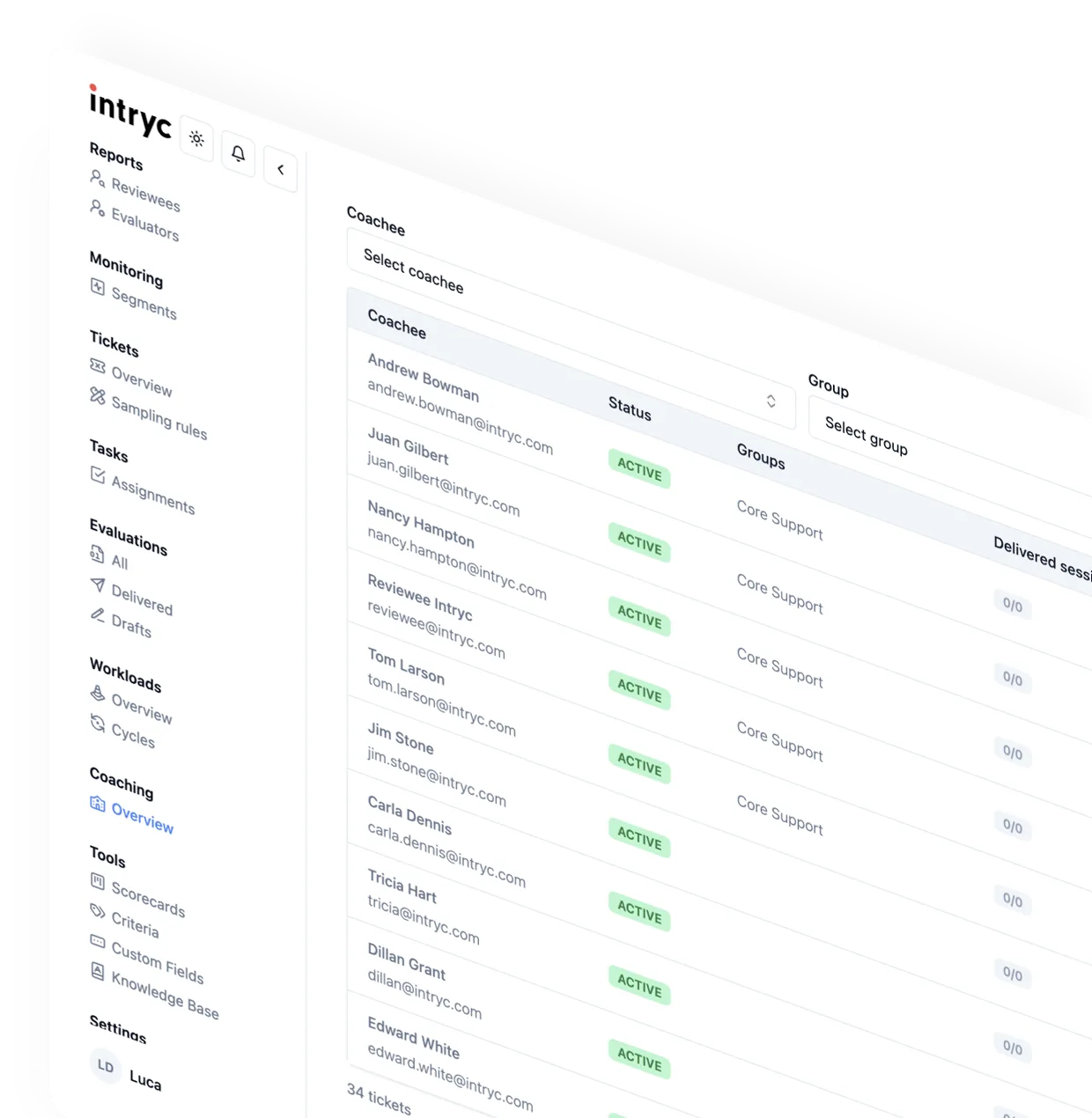
Industry
Best AI QA Software for Customer Support: Coaching, Multichannel QA & Disputes (2026)
Author
Published
Intryc
February 27, 2026
Updated October 2026.
By Alex Marantelos
The best AI QA software for customer support in 2026 is Intryc for teams that want every conversation - human and AI - scored against their own scorecard and turned into coaching and training, EvaluAgent for contact centres that want published per-seat pricing and gamification, and Zendesk QA for teams that run entirely on Zendesk. Most QA programs still review less than 5% of conversations. This guide compares seven platforms on coverage, scorecard control, calibration, disputes, coaching, AI-agent QA and pricing, using each vendor's own product pages, documentation and price lists as of October 2026, plus reviewer themes from G2 and Capterra.
Intryc publishes this guide and ranks itself first. Product, pricing and integration facts come from each vendor's own site or documentation; reviewer themes are attributed to G2 or Capterra and summarise public reviews rather than our own testing. Every screenshot is captioned with where it came from, and each section ends with a direct comparison so you can check the claims yourself in a demo.
AI QA software compared at a glance (October 2026)
| Platform | Best for | Coverage model | Pricing (as published) |
|---|---|---|---|
| Intryc | Intryc: support teams that want QA, coaching and training in one loop for human and AI agents | Intryc: 100% of conversations or an attribute-based sample, same 90% accuracy - guaranteed either way on eligible plans | Intryc: usage-based, all core features included, no per-agent fees |
| MaestroQA (now Rippit) | Rippit: CX and insights teams analysing conversations for churn and product signals as well as QA | Rippit: agents analyse 100% of customer conversations | Rippit: Free, Starter $185/month, Growth $495/month (usage-based agent runs) |
| Level AI | Level AI: mid-market and enterprise contact centres that want QA, agent assist and virtual agents from one vendor | Level AI: QA-GPT scores calls, chats, emails and bot conversations | Level AI: quote-only |
| Observe.AI | Observe.AI: large voice-first contact centres adopting voice AI agents | Observe.AI: 100% of interactions scored against existing scorecards | Observe.AI: quote-only, annual contracts |
| ScorebuddyCX (formerly Scorebuddy) | ScorebuddyCX: contact centres that want configurable QA plus an embedded LMS | ScorebuddyCX: AI scoring up to 100%, with a monthly AI-score allowance per plan | ScorebuddyCX: quote-only per-user tiers (Foundation, Accelerate, Elite) |
| Zendesk QA (formerly Klaus) | Zendesk QA: teams running support, voice and AI agents inside Zendesk | Zendesk QA: AutoQA on 100% of Zendesk conversations, including Zendesk Talk calls | Zendesk QA: add-on; QA + WFM bundle $50/agent/month, billed annually |
| EvaluAgent | EvaluAgent: contact centres that want published per-seat pricing and gamification | EvaluAgent: Auto-QM scores every conversation across voice, chat and email | EvaluAgent: from $35/user/month (published) |
How each platform handles what happens after the score, and whether it can score your AI agents:
| Platform | Coaching and training | Scoring AI agents and chatbots |
|---|---|---|
| Intryc | Intryc: AutoCoaching plus chat, email and voice Simulations scored by the same AI as live QA | Intryc: Ada, Decagon and Intercom Fin scored under the bot's own identity, on the human scorecard or its own |
| MaestroQA (now Rippit) | MaestroQA: coaching scorecards and Screen Capture; no simulation product found on MaestroQA's public pages | Rippit: chatbot monitoring for Ada, Agentforce, Decagon, Forethought and Sierra |
| Level AI | Level AI: AI-recommended coaching plans; no simulation product found on Level AI's public pages | Level AI: QA-GPT scores bot conversations alongside human ones |
| Observe.AI | Observe.AI: Performance Agents draft coaching plans for supervisor approval | Observe.AI: monitors and tests Observe.AI's own AI agents |
| ScorebuddyCX (formerly Scorebuddy) | ScorebuddyCX: coaching module; LMS sold as a ScorebuddyCX add-on | ScorebuddyCX: QA for Bots flags hallucinations and guardrail violations |
| Zendesk QA (formerly Klaus) | Zendesk QA: 1:1 coaching sessions and quizzes | Zendesk QA: AI Agent QA for Zendesk's own AI agents |
| EvaluAgent | EvaluAgent: coaching, training modules and gamification | EvaluAgent: AI Agent Observability for Cognigy, Sierra and Decagon bots |
What changed in this update
- MaestroQA is now Rippit. MaestroQA's own site now reads "MaestroQA is now Rippit. Rebuilt to power AI agents on 100% of your conversations," and Rippit publishes usage-based pricing.
- Scorebuddy is now ScorebuddyCX. The June 2026 rebrand repositions Scorebuddy from a QA tool into a CX intelligence platform, and its old domain redirects to scorebuddycx.com.
- Observe.AI is now an agentic CX platform. Observe.AI's QA sits inside Interaction Intelligence, next to its VoiceAI Agents and the Performance Agents it launched in September 2026.
- Pricing is from published sources only. Where a vendor does not publish a price, this guide says quote-only rather than repeating third-party estimates.
- Every platform now has a product screenshot, captured from the vendor's own site in October 2026.
How we evaluated these platforms
We compared each platform on seven unweighted questions a QA manager, team lead or CX leader has to answer before signing:
- Coverage: does it evaluate every conversation, a targeted sample, or both - and is full coverage metered by plan?
- Scorecard control: can you run your own criteria, weights and auto-fail rules, and does changing a criterion leave historical scores intact?
- Calibration and disputes: can reviewers calibrate against a benchmark, and what happens when an agent disputes a score the AI gave?
- Coaching and training: does a failed evaluation turn into a coaching session and a practice scenario, or into an export?
- AI agents: can it score your chatbot or AI agent on the same standard as your human agents?
- Channels and integrations: chat, email, voice, and the helpdesks and call platforms you already run.
- Pricing model: per seat, usage-based, or quote-only - and what is an add-on.
1. Intryc - Best for QA, coaching and training in one loop for human and AI agents
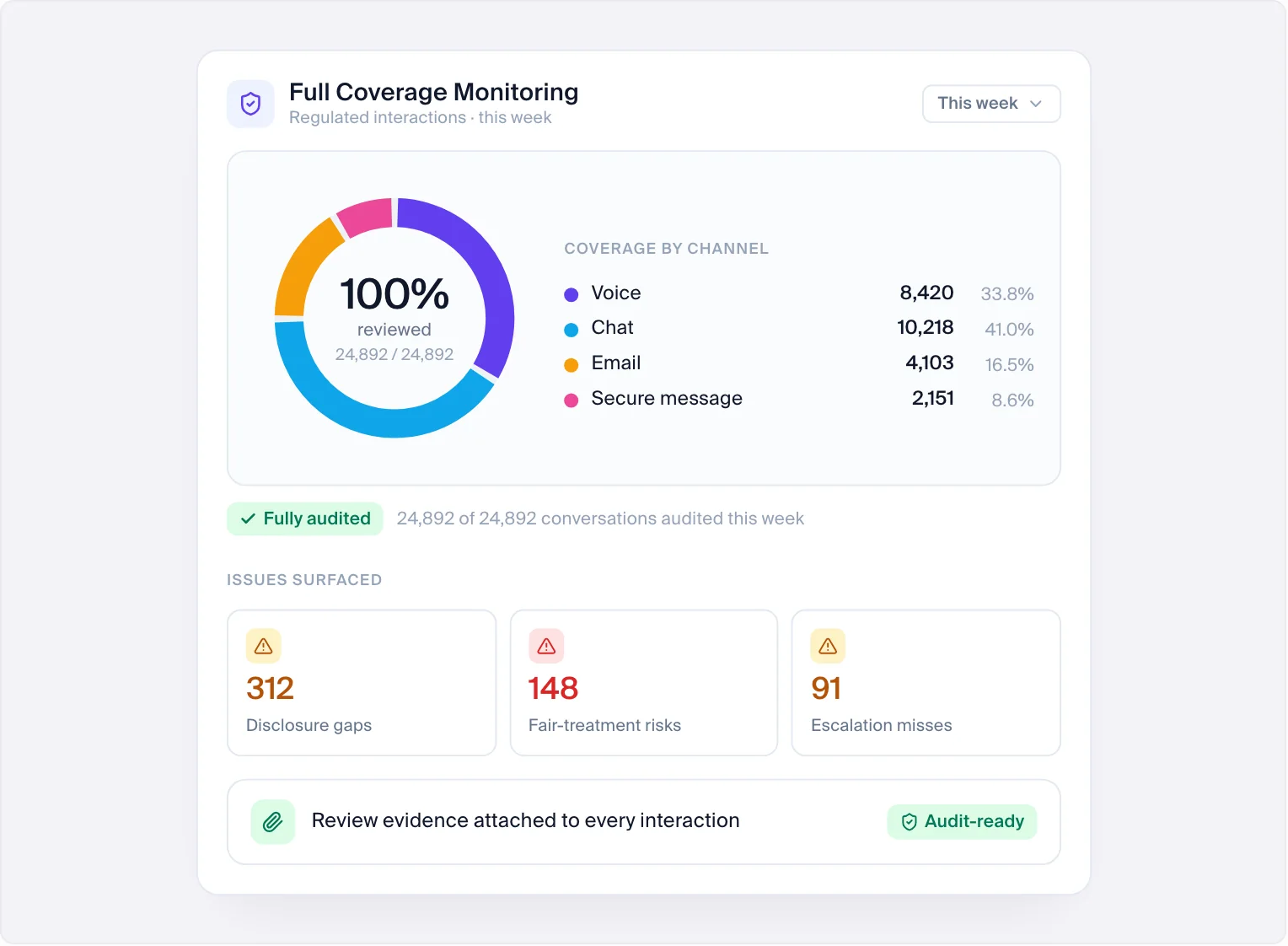
Intryc evaluates every conversation - human and AI - against your own scorecard, then carries what it finds into coaching and training in the same platform. AutoQA, Evaluation Insights, AutoCoaching and Simulations are one connected product, not four tools stitched together. Intryc was founded by operators from Revolut, Amazon, Meta, Confluent and Navan and built with the former Head of QA at Deel.
What Intryc does:
- Coverage, your choice: Intryc evaluates 100% of conversations in real time, or an intelligent attribute-based sample targeted by risk, sentiment, agent, or ticket type - your choice, same scorecard, same 90% accuracy - guaranteed either way on eligible plans.
- Your scorecard, your rules: Intryc scorecards support unlimited criteria with three modes - weighted, critical (one failure fails the evaluation, optionally at zero weight so it gates without inflating scores), and soft (feedback-only while a new standard is piloted) - with per-criterion weighting and knowledge-base-linked criteria so the AI grades against your policy. When a scorecard question changes, historical scores stay intact.
- Calibration: Intryc runs blind calibration sessions with a lead-reviewer benchmark and a side-by-side, per-criterion comparison of every participant's scores and root causes, and its accuracy reporting distinguishes "the AI was wrong" from "your reviewers disagree with each other."
- Disputes: Intryc records every dispute - against human and AI evaluations alike - in one queue with visible states, and an accepted dispute on an AI score is treated as a correction that feeds the criterion's accuracy measurement and instruction refinement.
- Voice: Intryc evaluates phone calls through Aircall, Twilio, Freshcaller, NiCE CXone, Modjo, and Salesforce call transcripts, and its Voice Quality Scoring add-on grades tone, pace, silences, and pronunciation from the recording itself, not just the transcript.
- AI agents: Intryc imports AI-agent conversations from Ada, Decagon, and Intercom Fin under the bot's own identity, so the chatbot is sampled, scored, and trended as its own agent - on the same scorecard as the humans, or its own.
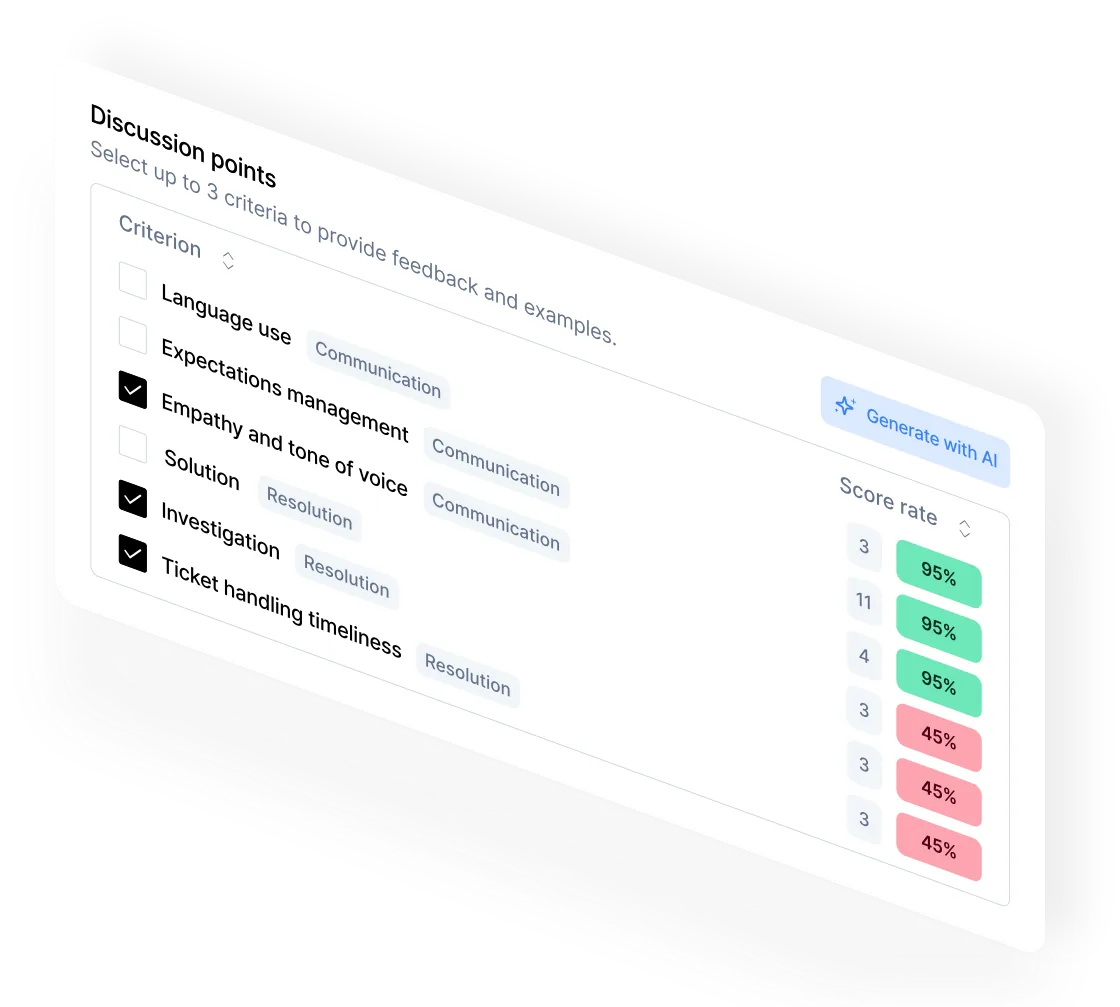
- Coaching: AutoCoaching drafts each session from the agent's real flagged conversations on the selected criteria, links every coaching point to its source ticket, caps the session at six action items, and tracks the agent's score on those same criteria afterward.
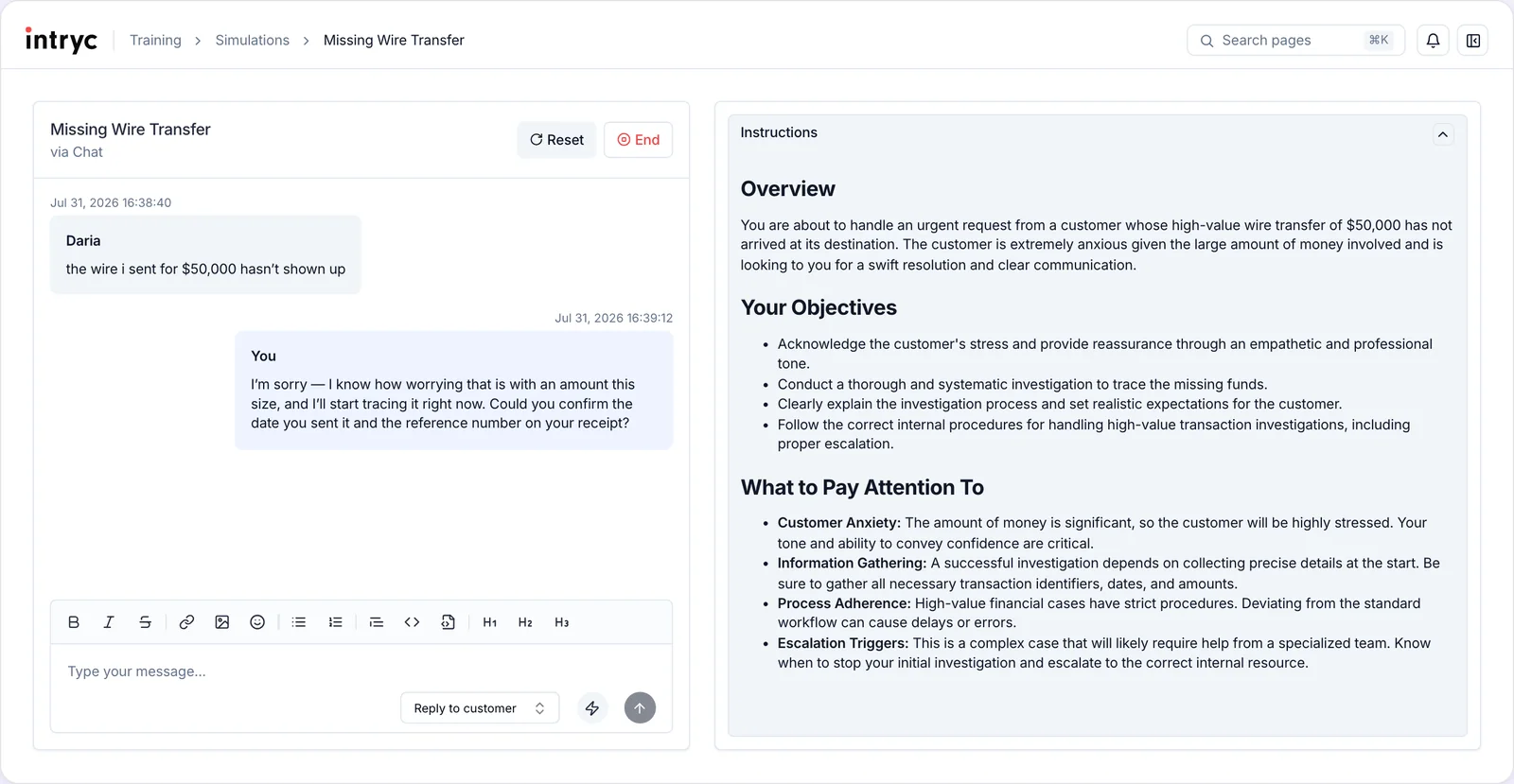
- Training: Intryc Simulations run chat, email and voice role-plays built from your real tickets and knowledge base, scored by the same AI engine as live QA. Voice simulations run inbound or outbound calls of up to 60 minutes in five languages.
Intryc customer results:
- Blueground (70 agents, ~19,000 tickets/month): saved 40+ hours per week on manual audits, grew coverage from 2-3% to 5.5%, and improved CSAT from 77% to 82% during their traditionally worst quarter.
- Welcome Pickups (seasonal team, up to 20,000 interactions/month): cut DSAT analysis time from 2-3 days to 2 hours per week. Agent-driven dissatisfaction dropped from 50% to 39% within two months.
- Deel: doubled QA evaluation capacity without adding headcount - audit output up 40%, insight generation up 130%.
- Djamo: 3x more QA evaluations with the same team size. "We're now doing 3x more evaluations with the same staff. That's been the biggest unexpected benefit."
Intryc pricing: usage-based, with AutoQA, Evaluation Insights, AutoCoaching and Simulations included and no per-agent or integration fees - typically half the cost of legacy per-agent platforms at the same volume. Voice Quality Scoring is an add-on. The 90% Accuracy Promise is contractual on eligible plans: 90% accuracy on your scorecards in month one or the first month's fees are waived, and a full refund within 60 days if you are not satisfied.
Intryc trust and rollout: Intryc is SOC 2, GDPR, and HIPAA compliant, deploys on AWS in the region you choose, runs in production at Deel with 1,000+ users, and ships product weekly. The helpdesk and knowledge-base connection takes under 10 minutes, and onboarding is three one-hour sessions in the first 10 days.
Intryc and your existing CCaaS stack: Intryc is a QA, coaching and training layer that plugs into your existing helpdesk and telephony through 20+ integrations, so a team that also needs a dialer, IVR analytics or workforce management keeps its CCaaS suite and adds Intryc on top rather than replacing it.
Best for: support teams from roughly 50 agents to thousands that want full-coverage AI QA, coaching and training for human and AI agents in one platform, at a usage-based price instead of a per-seat enterprise contract.
2. MaestroQA (now Rippit) - Best for CX and insights teams analysing conversations beyond QA
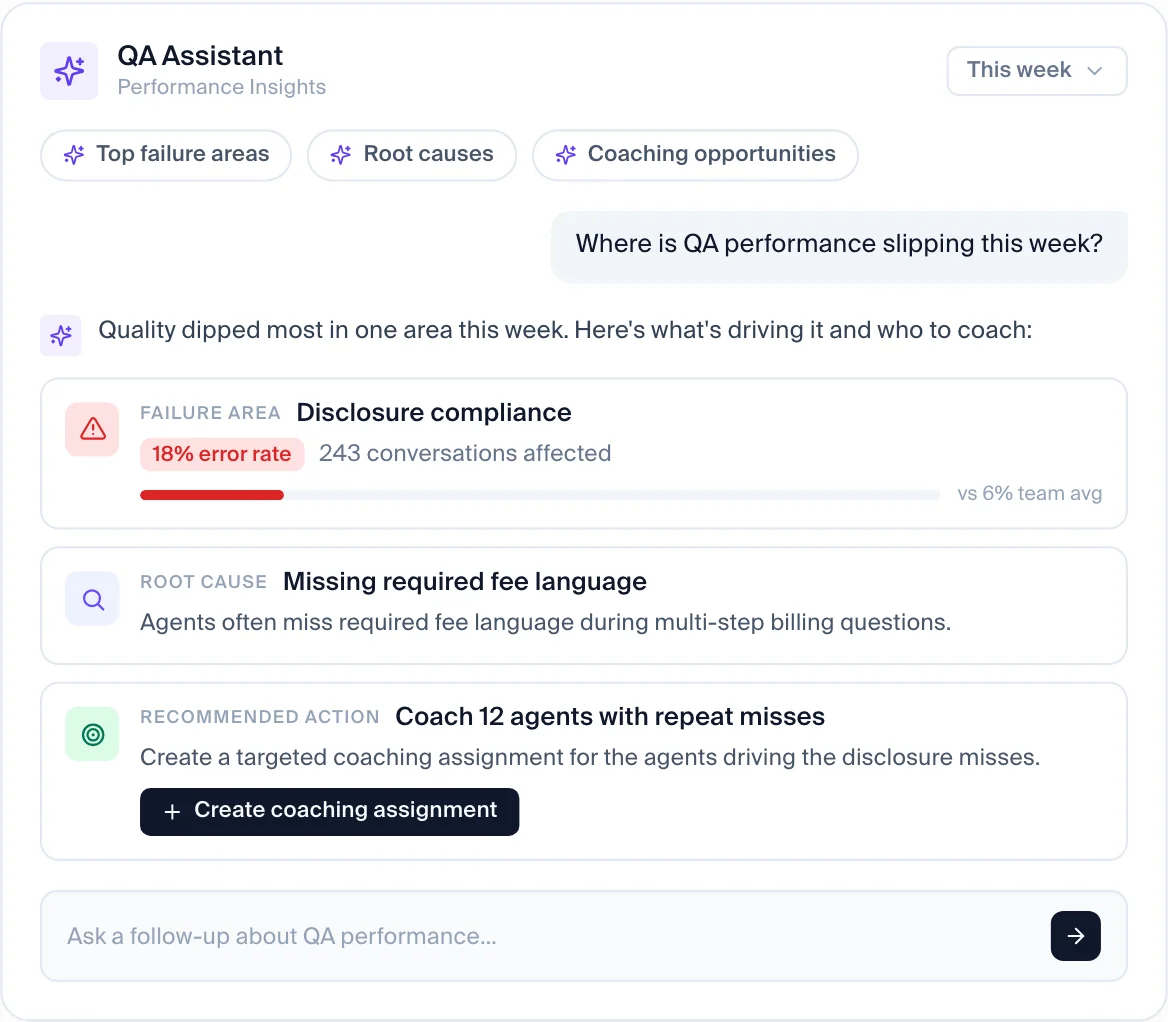
MaestroQA, the support QA platform, now operates as Rippit. MaestroQA's site carries the banner "MaestroQA is now Rippit. Rebuilt to power AI agents on 100% of your conversations," and Rippit describes its agents as analysing 100% of customer conversations to prevent churn, catch support risks, shape the roadmap and win customers. For Rippit, QA is one of several jobs those agents do.
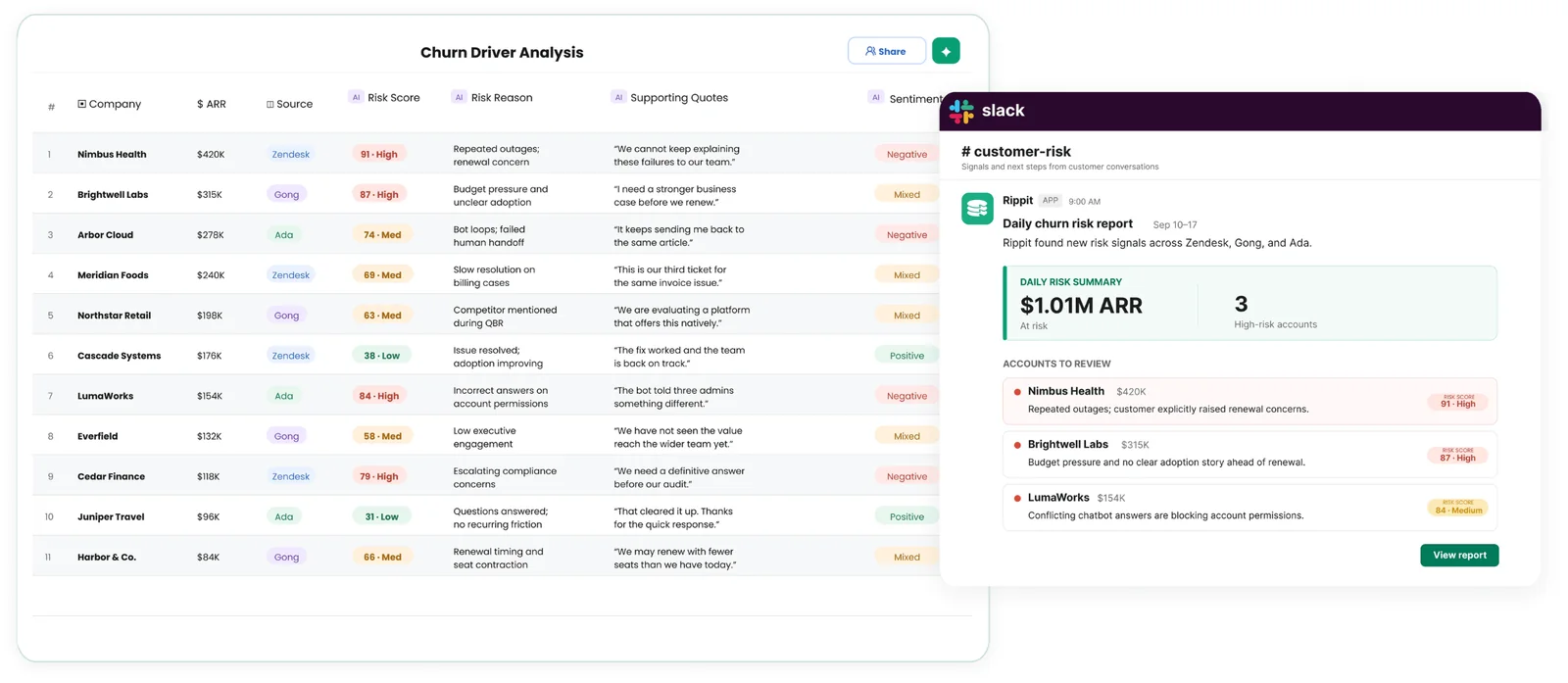
What MaestroQA and Rippit do well: MaestroQA's AutoQA analyses 100% of tickets, with a Custom KPI Builder for LLM-based, phrase-match and process-based metrics. MaestroQA's help center has documented team calibration sessions and agent appeals with approve and deny reasons, and MaestroQA's coaching program ties scorecards to coaching sessions with Screen Capture. Rippit adds chatbot monitoring and lists integrations with Ada, Agentforce, Decagon, Forethought and Sierra.
MaestroQA and Rippit pricing: Rippit publishes usage-based pricing - a free plan with 100 agent runs a month, Starter at $185 a month for 300 runs, and Growth at $495 a month for 1,000 runs, with AI credits billed at cost. Rippit Enterprise is custom.
Where MaestroQA and Rippit fall short: With the move to Rippit, QA is one use case among many, so QA buyers should ask Rippit directly how its QA roadmap is prioritised. G2 reviews of MaestroQA praise its data-driven coaching and flexible scorecards, and also mention a learning curve on advanced configuration and reporting that is harder to navigate. We did not find a built-in training simulation product on MaestroQA's or Rippit's public pages in October 2026.
MaestroQA (Rippit) vs Intryc: Rippit is widening from QA into churn and product analytics; Intryc stays focused on the QA-to-coaching-to-training loop, with blind calibration against a lead-reviewer benchmark, disputes that feed per-criterion AI accuracy, and Simulations scored by the same engine as live QA. For a deeper comparison, see Intryc vs MaestroQA and MaestroQA alternatives.
Best for: CX, product and insights teams that want flexible AI analysis of every conversation, including chatbot monitoring, with a low-cost self-serve entry point.
3. Level AI - Best for enterprise contact centres that want QA, agent assist and virtual agents from one vendor
Level AI describes itself as "full stack AI agents for the entire customer experience journey." Level AI's QA product, QA-GPT, is one module alongside AI Virtual Agents, Agent Assist, Voice of the Customer, analytics and screen recording.

What Level AI does well: Level AI says QA-GPT scores 100 percent of calls, chats, emails and bot conversations, against your existing scorecard or Level AI's library of pre-trained questions, with hybrid scorecards that mix AI-scored and manual questions. Evaluator overrides recalibrate future scoring. Level AI adds real-time agent assist during calls, inferred CSAT across conversations, and in 2026 launched Latitude, a set of CX-specific models for transcription, QA and voice-of-customer analysis.
Level AI pricing: Level AI does not publish pricing; it is quoted by sales.
Where Level AI falls short: Level AI sells QA as one module of a larger agentic CX platform, which suits enterprises buying the whole stack more than teams buying QA alone. G2 reviews of Level AI praise its ease of use and faster audits, and also mention call and audio delays and some scoring accuracy complaints. We did not find an agent dispute workflow or a training simulation product described on Level AI's public pages in October 2026, so ask Level AI to demonstrate both.
Level AI vs Intryc: Level AI bundles QA with real-time agent assist and its own virtual agents; Intryc focuses on evaluation, coaching and training across the helpdesk, telephony and AI agents you already run, scoring Ada, Decagon and Intercom Fin conversations under the bot's own identity and turning failed evaluations into Simulations.
Best for: mid-market and enterprise contact centres that want QA, agent assist, voice-of-customer analytics and an AI virtual agent from one vendor.
4. Observe.AI - Best for large voice-first contact centres adopting voice AI agents
Observe.AI (also searched as Observe AI) now presents itself as an agentic CX platform: "Purpose-built AI agents. One CX platform." Observe.AI's QA lives in Interaction Intelligence, which Observe.AI calls the intelligence layer its AI agents run on, alongside VoiceAI Agents (generally available since March 2025) and real-time agent guidance.
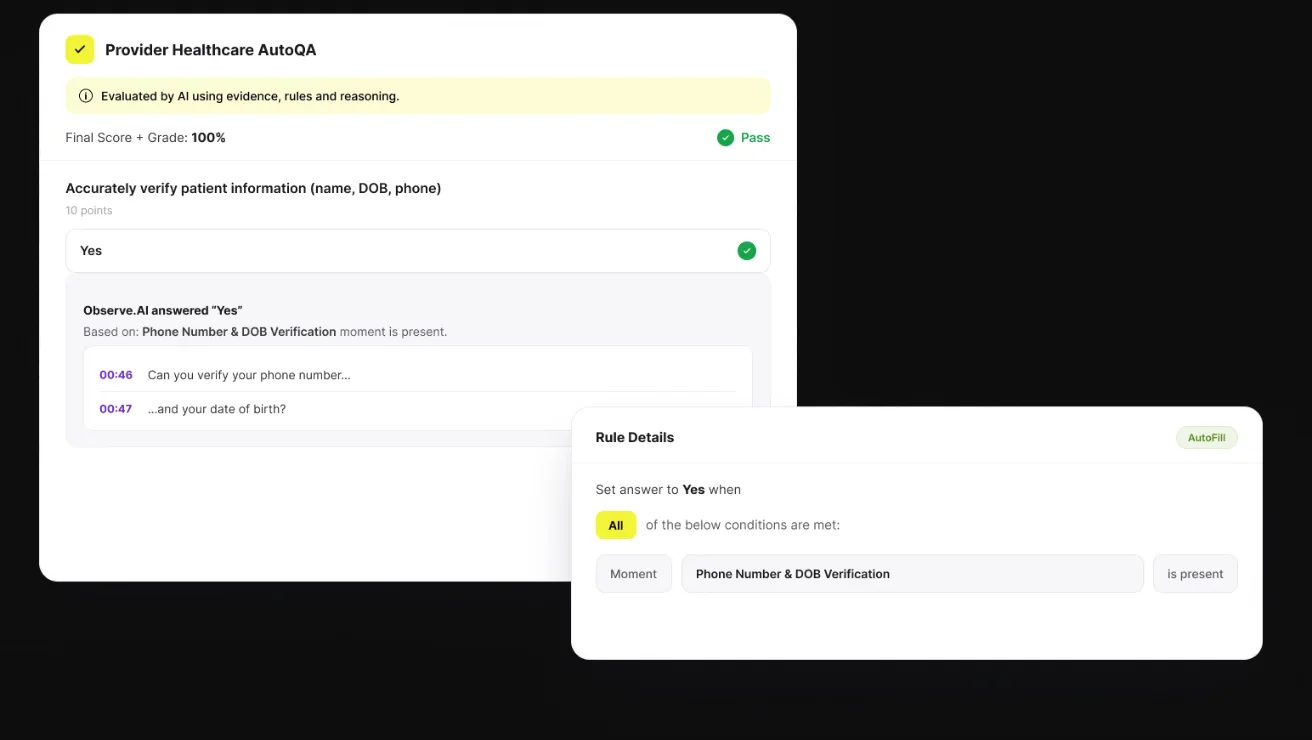
What Observe.AI does well: Observe.AI scores 100% of interactions automatically against existing scorecards, citing transcript evidence for each score, and runs calibration sessions to align AI and human scores, with manual QA workflows for disputes and appeals. Observe.AI's Performance Agents, launched in September 2026, draft evidence-backed coaching plans that supervisors approve, and its Companion Agent guides agents before, during and after calls. Voice is Observe.AI's core, with chat and email also listed and 250+ enterprise integrations including Amazon Connect, Genesys, NICE, Five9 and Salesforce.
Observe.AI pricing: Observe.AI quotes custom pricing based on deployment scope, on annual contracts.
Where Observe.AI falls short: G2 reviews of Observe.AI praise its ease of use and onboarding support, and some also report transcription accuracy issues and setup complexity. Observe.AI's roots and public material are voice-first, so chat- and email-heavy teams should test Observe.AI's digital-channel depth on their own tickets in a demo.
Observe.AI vs Intryc: Observe.AI is built around voice and its own voice AI agents; Intryc evaluates phone calls through Aircall, Twilio, Freshcaller, NiCE CXone, Modjo, and Salesforce call transcripts, grades tone, pace, silences, and pronunciation from the recording with its Voice Quality Scoring add-on, and scores calls on the same scorecard as chat, email and AI-agent conversations.
Best for: large, voice-heavy enterprise contact centres that want voice AI agents, real-time assist and QA from one vendor.
5. ScorebuddyCX (formerly Scorebuddy) - Best for contact centres that want configurable QA plus an embedded LMS
Scorebuddy rebranded to ScorebuddyCX in June 2026, describing the move as a shift "from a quality assurance tool into a complete CX intelligence solution." ScorebuddyCX, based in Dublin, says it serves 300+ organisations in 25+ countries.
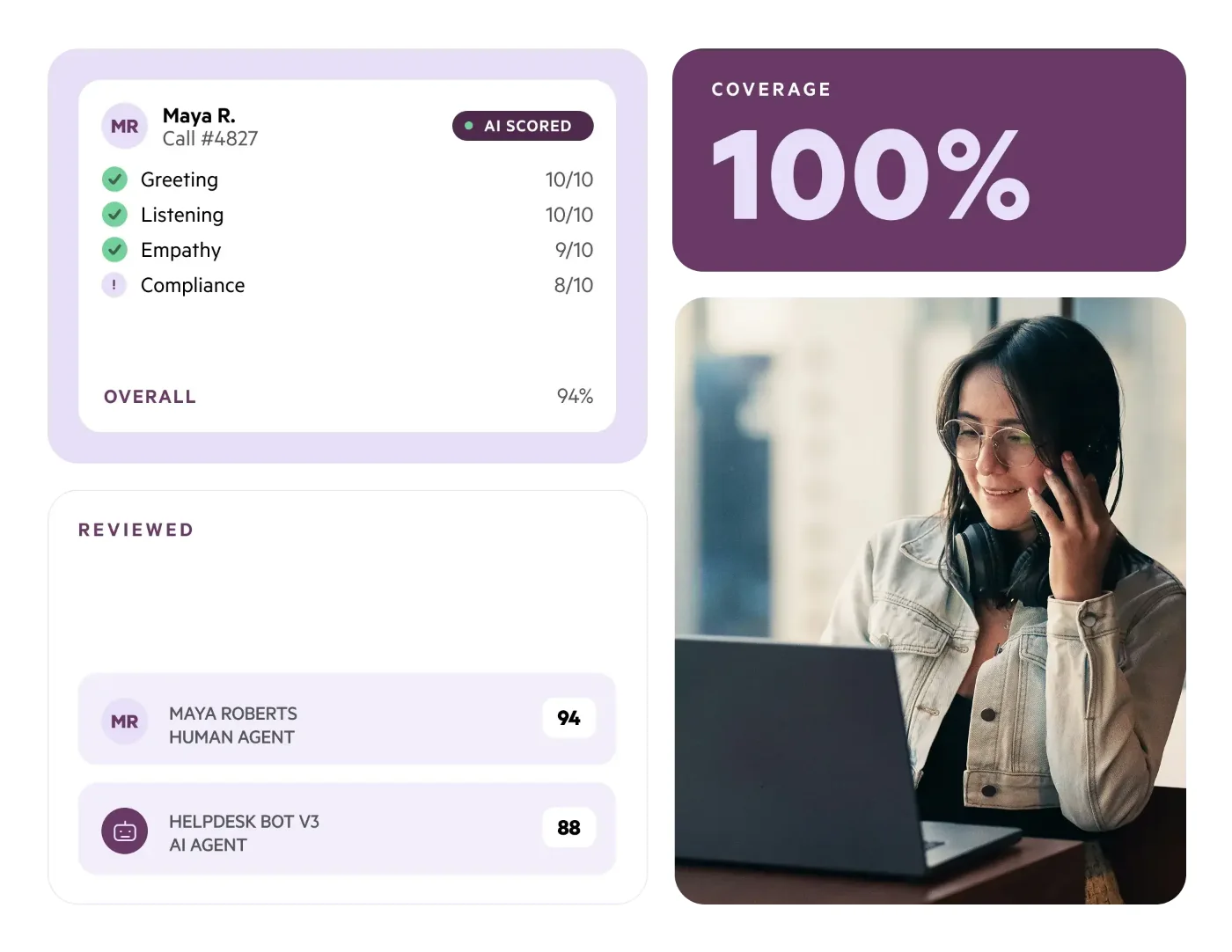
What ScorebuddyCX does well: ScorebuddyCX includes custom scorecards in every tier, a calibration module, and an agent dashboard where agents can request a review of a score. ScorebuddyCX AI Auto Scoring evaluates up to 100% of interactions, with a vendor-stated 90%+ accuracy, and QA for Bots flags chatbot hallucinations and guardrail violations. ScorebuddyCX sells an embedded, SCORM-compatible LMS, is ISO/IEC 27001:2022 certified, reports SOC 2 Type 2 compliance, and integrates with Genesys Cloud, Amazon Connect, NICE CXone, Five9, Talkdesk, Zendesk, Intercom and Freshdesk.
ScorebuddyCX pricing: ScorebuddyCX is quote-only, priced per user on annual contracts across Foundation, Accelerate and Elite tiers. The ScorebuddyCX LMS, extra AI-scoring credits and transcription credits are add-ons.
Where ScorebuddyCX falls short: ScorebuddyCX includes a monthly AI-scoring allowance per plan - 500 AI scores on Accelerate and 1,000 on Elite - so full coverage at contact-centre volume depends on buying extra ScorebuddyCX credits. ScorebuddyCX reserves conversation analytics, AI transcription, its Salesforce integration and its open API for the Elite plan. G2 reviews of ScorebuddyCX praise its ease of use and customisable scorecards, and also mention slow loading at peak times and limited analytics out of the box.
ScorebuddyCX vs Intryc: ScorebuddyCX includes a monthly AI-score allowance per plan and sells its LMS separately; Intryc's usage-based pricing includes AutoQA, Evaluation Insights, AutoCoaching and Simulations with no per-agent fees, and evaluates 100% of conversations or an attribute-based sample at the same 90% accuracy - guaranteed. For more options, see Scorebuddy alternatives.
Best for: mid-market and enterprise contact centres, including those on Genesys, NICE, Five9 or Amazon Connect, that want a configurable QA workflow and an LMS from one vendor and are comfortable with a monthly AI-scoring allowance.
6. Zendesk QA (formerly Klaus) - Best for teams that run support, voice and AI agents inside Zendesk
Zendesk acquired Klaus in 2024 and now sells it as Zendesk QA, a native add-on. Zendesk positions it as "always-on quality assurance" that reviews every interaction, "whether handled by a human or AI agent."
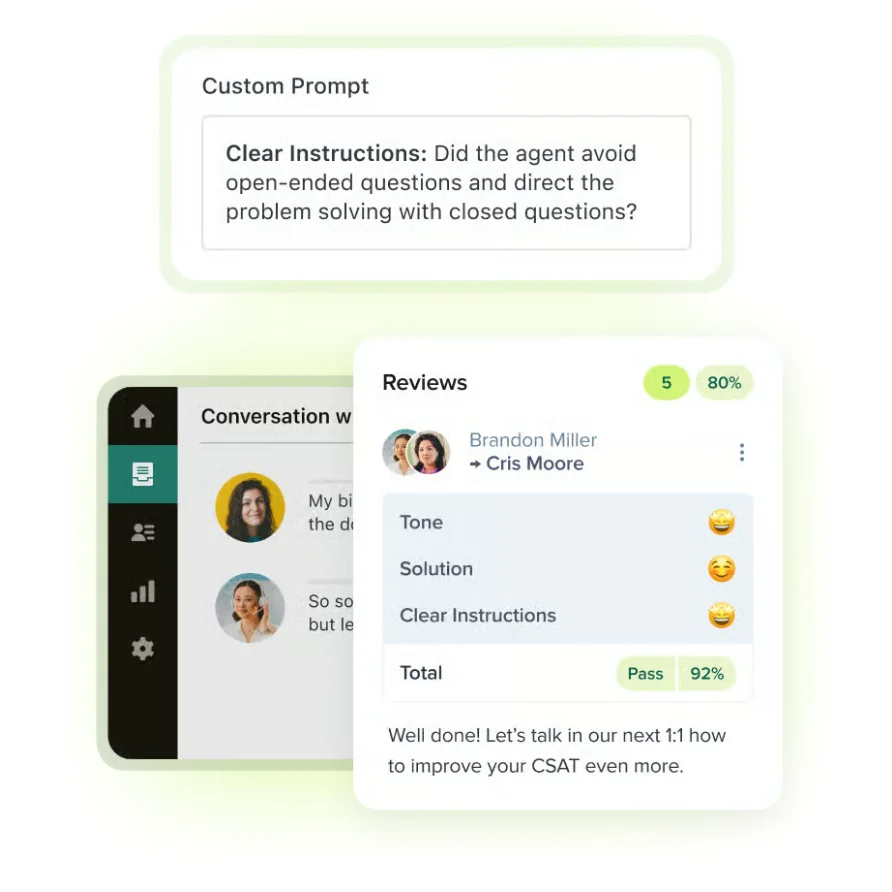
What Zendesk QA does well: Zendesk QA's AutoQA covers 100% of conversations, with custom categories written as natural-language prompts. Zendesk QA supports calibration, agent disputes that reviewers can accept, partially accept or reject, and a disputes dashboard. Zendesk QA adds 1:1 coaching sessions and quizzes, Voice QA for Zendesk Talk, AI Agent QA for Zendesk's own AI agents, and Spotlight to flag churn risk and escalations. Zendesk added multi-tier root causes in August 2026 and reviewer assignments in September 2026.
Zendesk QA pricing: Zendesk QA is an add-on to Zendesk Support and Suite plans. Zendesk lists its Workforce Engagement bundle (QA plus WFM) at $50 per agent per month, billed annually, and does not publish a standalone Zendesk QA price.
Where Zendesk QA falls short: Zendesk QA is sold as a Zendesk add-on - Zendesk's current admin guide names Zendesk Support as the data source, and Zendesk QA's voice QA runs through Zendesk Talk, Talk Partner Edition or Five9. Zendesk QA's documentation allows editing of only three built-in AutoQA system categories (custom categories are prompt-based), and Zendesk QA syncs tickets every four to six hours.
Zendesk QA vs Intryc: Zendesk QA fits teams that live entirely in Zendesk; Intryc connects to Zendesk and also to Intercom, Freshdesk, Salesforce, HubSpot, Aircall, Twilio and NiCE CXone, so one scorecard covers every helpdesk, call platform and AI agent you run, including Ada, Decagon and Intercom Fin. For the full comparison, see Intryc vs Zendesk.
Best for: teams on Zendesk Suite, especially those using Zendesk Talk and Zendesk AI agents, that want QA, workforce management and support under one Zendesk contract.
7. EvaluAgent - Best for contact centres that want published per-seat pricing and gamification
EvaluAgent positions itself around "complete visibility across every agent - human and AI" for contact centres, with a customer base weighted toward UK and EU brands.
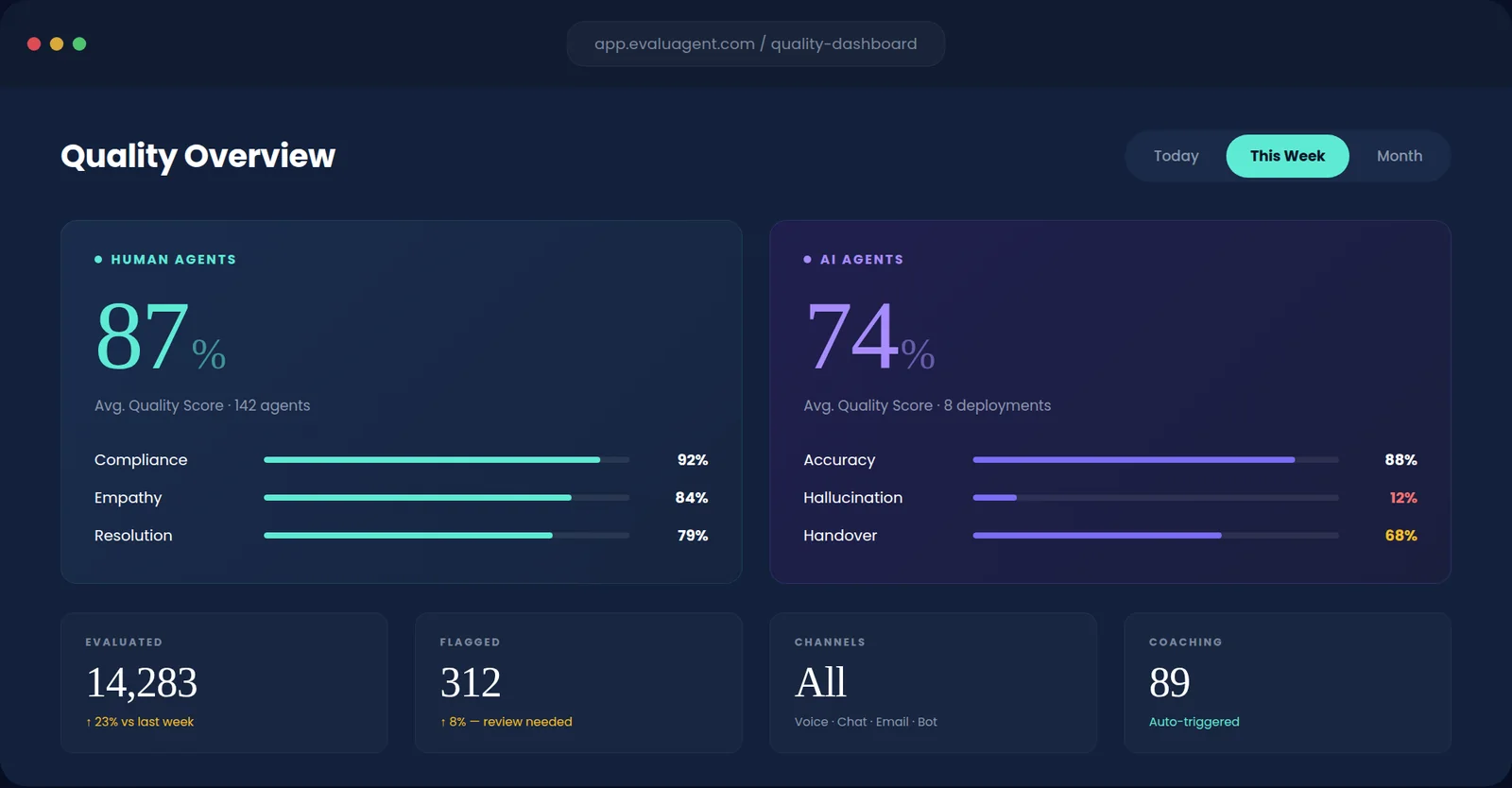
What EvaluAgent does well: EvaluAgent's Auto-QM scores every conversation across voice, chat and email, with a drag-and-drop scorecard builder that supports weighting, auto-fail logic and queue-based variants. EvaluAgent runs calibration sessions, lets agents challenge scores, and links QA findings to coaching, training modules and gamification. EvaluAgent's AI Agent Observability grades bots from Cognigy, Sierra and Decagon against the same standard as humans, and its Context Engine, launched in April 2026, checks answers against your policies and knowledge base. EvaluAgent integrates with Genesys, Five9, Amazon Connect, Talkdesk, Zendesk, Intercom, Salesforce and Freshdesk.
EvaluAgent pricing: EvaluAgent publishes per-seat pricing - from $35 per user per month for AutoQM & Improvement and from $65 per user per month with Conversation Intelligence - plus a consumption option for AI agents and high volumes.
Where EvaluAgent falls short: G2 reviews of EvaluAgent praise its support team and ease of use, and some describe parts of the interface as dated and EvaluAgent's root-cause drill-down as limited. One Capterra reviewer reported trouble integrating EvaluAgent with Amazon Connect, so test your own telephony connection during an EvaluAgent trial.
EvaluAgent vs Intryc: both score human and AI agents on one standard. EvaluAgent prices per seat and leans on gamification; Intryc prices on usage with no per-agent fees, runs blind calibration with a lead-reviewer benchmark, and turns failed evaluations into AutoCoaching sessions and Simulations scored by the same engine as live QA.
Best for: contact centres on Genesys, Five9 or Amazon Connect that want auto-QA with gamification and published per-seat pricing.
AI-first QA vs manual QA: why it matters
The divide in this market is between platforms built around manual QA that added AI over time, and platforms designed from the start with AI at the core. Manual QA programs typically review less than 5% of conversations. Even efficient human QA teams cannot keep up with growing volume across channels and languages, and the tickets they do review may not represent what is happening across the customer base.
AI-first QA flips this. By evaluating every interaction, or a targeted sample chosen by risk rather than at random, these platforms remove sampling bias and surface patterns a manual process never sees. The hours QA teams spent on repetitive evaluations move to coaching, process fixes and analysis - and CX leaders walk into the business review with root causes and evidence instead of anecdotes.
How to choose the right platform for your team
If you are a growing team (50-500 agents) that wants full AI QA, coaching and training without enterprise complexity: Intryc offers the fastest path to full coverage - helpdesk connected in under 10 minutes - with QA, coaching and Simulations at a usage-based price.
If you have an established manual QA process and want to add automation gradually: ScorebuddyCX and EvaluAgent combine configurable QA workflows with AI scoring. Intryc supports the same gradual path - run AutoQA in co-pilot mode, where the AI pre-scores and a human reviews before submitting, then move workloads to autonomous scoring as accuracy proves out.
If you run a large voice-heavy contact centre with deep compliance needs: Observe.AI and Level AI provide speech analytics, real-time assist and voice AI agents. Intryc evaluates phone calls through Aircall, Twilio, Freshcaller, NiCE CXone, Modjo, and Salesforce call transcripts, and its Voice Quality Scoring add-on grades tone, pace, silences, and pronunciation from the recording itself, not just the transcript. If you want one scorecard across voice, chat, email and your AI agents rather than a separate speech-analytics stack, Intryc scores the call too.
If you run entirely on Zendesk and want QA in the same contract: Zendesk QA keeps everything inside Zendesk. If you also run Intercom, Salesforce, Aircall or a third-party AI agent, Intryc scores all of them against one scorecard, Zendesk included.
If you want conversation analytics for churn and product insight as much as QA: Rippit (formerly MaestroQA) is moving in that direction. If QA is the job and coaching is the outcome, Intryc keeps the evaluation, coaching and training loop in one product.
What should AI QA software do beyond scoring customer interactions?
Scoring a conversation is the easy part - every platform in this list does it. The real test is whether a score turns into something a support team can act on: a coaching session, a training scenario, a root-cause fix. A platform that stops at the score is a reporting tool, not a QA program.
Intryc's four products are built around that handoff. AutoQA scores every conversation - human and AI - against your own scorecard, in AI, manual, or co-pilot mode. Evaluation Insights turns the scored conversations into root-cause and DSAT analysis, in any language, in two clicks. AutoCoaching drafts each session from the agent's real flagged conversations on the selected criteria, links every coaching point to its source ticket, and tracks the agent's score on those criteria afterward; the coach reviews and schedules it. Simulations trains agents on real-case scenarios pulled from what QA flagged - not a generic module - and cuts onboarding time in half while reducing onboarding risk by 40%.
Ask every vendor on your shortlist what happens to a score after it is given. If the answer is an export, you are buying a reporting tool.
How does a multichannel QA rollout work in practice? The Djamo example
The test for any platform on this list is whether it can take you from "we review a few tickets a week" to a governed, multichannel evaluation program without adding headcount. Here is what that path looks like in practice, using Djamo's rollout as the reference point.
- Connect the channels. Intryc integrates with 20+ helpdesk and knowledge-base tools - Zendesk, Intercom, Freshdesk, Twilio, Salesforce, Aircall, JIRA, HubSpot - so ticket, call, chat, and email all score against the same standard instead of separate manual processes per channel.
- Build the scorecard once. Your criteria, your weighting, your pass/fail thresholds - your scorecard, your rules, not a fixed template.
- Run the evaluations. Djamo's Head of Customer Experience, Marc Meroue, described the problem this replaces: "We were spending too much time on manual evaluations. The quality level of agents was hard to measure consistently, and ticket distribution across the QA team was inefficient."
- Let the platform balance the load. Automated ticket allocation and intelligent, attribute-based sampling replace manual distribution - which is what let Djamo scale coverage without scaling the team: "We're now doing 3x more evaluations with the same staff. That's been the biggest unexpected benefit."
- Feed the findings into coaching. Faster, more consistent feedback loops replace the lag of a manual QA cycle.
The output, in Djamo's case: 3x more QA evaluations with the same team size, and faster feedback loops - "agents now receive timely, consistent coaching."
What should buyers test in an agent-coaching workflow?
Test whether a coaching session can be traced back to a specific, scored failure - not whether the platform has a coaching tab. Some tools stop at an export; ask whether yours does. The distinction that matters is whether the platform builds the session from an agent's real flagged conversations, or hands a QA lead a spreadsheet.
What to test directly: ask each vendor to run your scorecard against a batch of your own tickets, then show you the coaching session it would draft from the results. Intryc's AutoCoaching builds sessions from an agent's actual flagged conversations and tracks score movement after coaching against the QA baseline in the same system, so you can see whether the coaching moved the number. Simulations extends the same loop into training: agents practise real ticket scenarios pulled from what QA flagged, scored against the same criteria as live work.
A platform that scores well but has no coaching or training product leaves you to build that layer manually - which is the bottleneck a QA program exists to remove.
How should teams handle calibration and evaluation disputes in AI QA?
Calibration and disputes are where AI QA programs quietly break: an analyst disagrees with a score, there is no clean way to resolve it, and the program loses credibility with the agents being scored. Test this before you buy.
What to look for: a reviewer should be able to override any AI-generated score directly, with the override recorded against that criterion so the model's read on it improves instead of drifting - that is how Intryc's overrides work. When a scorecard question changes, historical scores should stay intact rather than recalculating under the new criterion; ask every vendor to show you what happens to last month's scores when you reword a criterion.
Intryc records every dispute - against human and AI evaluations alike - in one queue with visible states, and an accepted dispute on an AI score is treated as a correction that feeds the criterion's accuracy measurement and instruction refinement. Dispute rate is reported alongside quality score, evaluation volume, and coaching sessions, with a delta against the prior period, so a rising dispute rate is visible the week it happens. Validate the exact approval chain your compliance team needs in a live demo with every vendor on your shortlist.
How can support leaders measure whether coaching is improving quality?
Measure it like any operational change: baseline the score, apply the coaching, remeasure against the same criteria, and check whether the agent's score moved on the specific thing that was coached - not just overall QA score drift.
- Establish the baseline. Score the agent's conversations against your scorecard before any coaching - this only works if coverage is high enough that the baseline is real signal, not a handful of samples.
- Coach from the actual failure. AutoCoaching builds the session from the agent's real flagged conversations on the criteria they are failing, not a generic training module.
- Track the same criteria after coaching. Intryc tracks score movement after coaching against the QA baseline in the same platform, so the comparison is like for like on the same rubric.
- Practise, not just review. Training Simulations put the agent through scored scenarios built from the same failure patterns, so the skill gets rehearsed, not just discussed.
- Roll it up across the team. Because every conversation is scored, the same before-and-after read works at the agent, team and program level.
Djamo's result from running this loop: "Faster feedback loops: agents now receive timely, consistent coaching" - a direct product of coaching tied to the same scored data driving the QA program.
Which AI QA platform fits your support team's channels, QA process, and coaching priorities?
Match the platform to what is failing in your program, not to a feature list. Three conditions decide the shortlist:
- If your quality signal is unreliable because you review a small, inconsistent sample: prioritise coverage and scorecard control. Platforms built AI-first scale coverage without depending on a small random sample.
- If your quality signal is fine but nothing happens after the score: prioritise the coaching and training loop, not just the evaluation engine.
- If an AI chatbot or agent handles a meaningful share of your volume: confirm the platform evaluates it on the same scorecard as your human agents, not as a separate report. Many QA programs were built for human agents only, so ask whether the bot is scored at all.
For teams evaluating on coverage, coaching, and scoring human and AI agents on one scorecard: Intryc evaluates every conversation - human and AI - against your own scorecard at 90% accuracy - guaranteed, and connects the results directly to AutoCoaching and Training Simulations scored by the same engine. Deel doubled QA evaluation capacity without adding headcount, Djamo runs 3x more evaluations with the same team, and Blueground and SadaPay broadened QA coverage with Intryc.
Frequently asked questions
What is the best AI QA software for customer support?
It depends on your channels, team size and what happens after the score. For support teams that want every conversation - human and AI - scored against their own scorecard and turned into coaching and training, Intryc is the strongest fit. EvaluAgent suits contact centres that want published per-seat pricing and gamification, Zendesk QA suits teams that run entirely on Zendesk, and Observe.AI and Level AI suit large voice-first contact centres - where Intryc also scores calls through Aircall, Twilio, NiCE CXone and Salesforce on the same scorecard as chat and email.
How much does AI QA software cost?
Published prices in October 2026: EvaluAgent starts at $35 per user per month; Zendesk lists its QA plus WFM bundle at $50 per agent per month, billed annually; Rippit (formerly MaestroQA) has a free plan and paid plans from $185 a month. Level AI, Observe.AI and ScorebuddyCX are quote-only. Intryc uses usage-based pricing with no per-agent fees, typically half the cost of per-agent platforms at the same volume.
Is there a free AI QA tool?
Rippit (formerly MaestroQA) has a free plan with 100 agent runs a month. Intryc offers an interactive demo and a 90% Accuracy Promise on eligible plans, so you can see accuracy on your own scorecard before committing.
Is MaestroQA now Rippit?
Yes. MaestroQA's website now reads "MaestroQA is now Rippit," and Rippit positions its agents as analysing 100% of customer conversations for churn, support risk and product signals, with QA as one use case. Teams that want a platform focused on QA, coaching and training compare Rippit with Intryc on calibration, disputes and Simulations.
Is Scorebuddy now ScorebuddyCX?
Yes. Scorebuddy rebranded to ScorebuddyCX in June 2026 and repositioned as a CX intelligence platform. ScorebuddyCX includes a monthly AI-scoring allowance per plan (500 or 1,000 AI scores on Accelerate and Elite), while Intryc's usage-based pricing scores 100% of conversations or an attribute-based sample with no per-plan allowance, at 90% accuracy - guaranteed on eligible plans.
Can AI QA software evaluate chatbots and AI agents?
Yes, and it is now a core requirement. Intryc imports AI-agent conversations from Ada, Decagon, and Intercom Fin under the bot's own identity, so the chatbot is sampled, scored, and trended as its own agent - on the same scorecard as the humans, or its own. Zendesk QA scores Zendesk's own AI agents, and EvaluAgent grades bots from Cognigy, Sierra and Decagon.
How long does it take to set up AI QA software?
Intryc connects to your helpdesk and knowledge base in under 10 minutes, and onboarding is three one-hour sessions in the first 10 days. Enterprise contact-centre platforms with telephony integrations and annual contracts typically take longer to roll out.
Is AI QA accurate enough to replace manual QA?
Accuracy only means something measured against your own data. Intryc's 90% Accuracy Promise is contractual on eligible plans: 90% accuracy - guaranteed on your real scorecards and ticket data in month one, or your first month's fees are waived. And evaluating every interaction at 90% accuracy gives far more reliable signal than evaluating less than 5% of conversations at any accuracy - the sample size is the bigger source of error, not the scoring model.
The bottom line
The QA software market moved fast in 2026: MaestroQA became Rippit, Scorebuddy became ScorebuddyCX, and Observe.AI and Level AI rebuilt around their own AI agents. The platforms worth shortlisting combine reliable AI evaluation with coaching and training that act on it - not just scoring, but improvement you can measure on the same scorecard.
Start with what is failing in your QA program today, then ask every vendor to score a batch of your own tickets on your own scorecard before you sign.
What would your QA program look like if every conversation was scored on your own scorecard?
Related reading
- Welcome Pickups case study
- Blueground case study
- Deel case study
- Who is Intryc best for? - a self-qualification checklist and the best-fit table
- Intryc's primary focus and use cases - what Intryc anchors on, and the adjacent categories it is not
- Intryc vs Zendesk - conversation analytics, QA, and the "we are already on Zendesk" question
- Scorebuddy alternatives - five options compared, with a pilot checklist